






- Adaobi
- May 22, 2026
- No Comments
Benefits of Proper Inverter Installation
Correct installation provides several important advantages.
Improved Safety
Professional installation reduces the risk of electrical accidents, short circuits, and overheating.
Better System Performance
A properly connected inverter delivers stable and efficient power during outages.
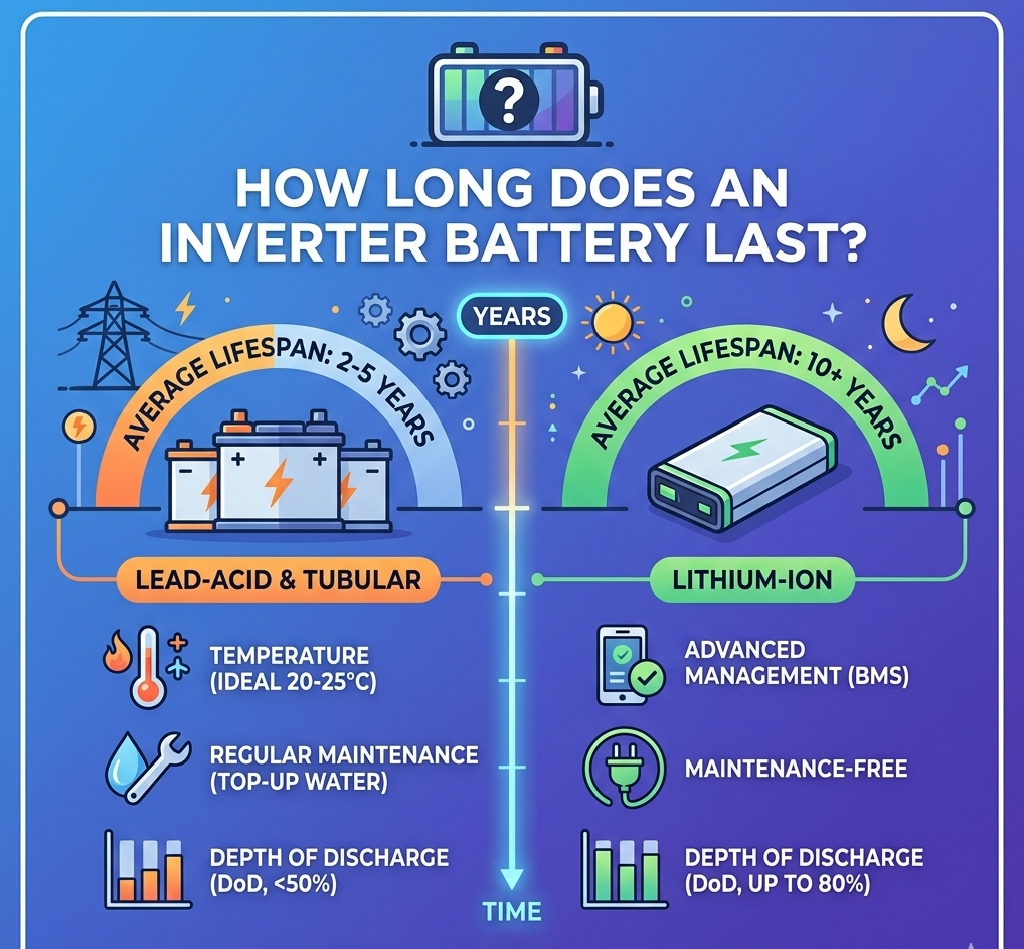
Longer Battery Lifespan
Correct battery handling and ventilation help batteries last longer.
Reduced Maintenance Problems
Well-installed systems usually experience fewer technical faults over time.
Higher Energy Efficiency
Good installation practices help reduce unnecessary energy loss.
Step-by-Step Guide to Inverter Installation
1. Determine Your Power Needs
Before purchasing an inverter, calculate your household energy requirements.
List the appliances you want to power during outages and estimate their wattage.
Common appliances include:
| Appliance | Average Power Usage |
|---|---|
| LED TV | 80W |
| Fan | 75W |
| Laptop | 65W |
| Refrigerator | 150W |
| Light Bulb | 10W |
2. Choose the Right Inverter Capacity
Inverter sizes vary depending on energy demand.
Common residential inverter capacities include:
- 1kVA
- 2.5kVA
- 5kVA
- 10kVA
Smaller homes may require lower-capacity systems, while larger homes often need more powerful setups.
Choosing the correct size prevents overload and improves efficiency.
3. Select Quality Batteries
Battery quality plays a major role in inverter performance.
Common battery types include:
Tubular Batteries
These are highly durable and commonly used in Nigerian homes.
Lithium Batteries
Lithium batteries charge faster and last longer, although they are more expensive.
Gel Batteries
These batteries require less maintenance and operate efficiently in enclosed spaces.
Always choose reliable batteries from trusted suppliers.
4. Pick a Suitable Installation Location
The installation environment affects inverter performance significantly.
A proper location should be:
- Well ventilated
- Dry and cool
- Free from direct sunlight
- Away from water exposure
- Safe from children and pets
Poor ventilation may cause overheating and shorten battery lifespan.
5. Install Proper Wiring and Protection
Correct wiring is essential for safety and efficiency.
Professional installers usually include:
- Circuit breakers
- Surge protectors
- Battery isolators
- Proper grounding systems
These components help protect appliances and inverter equipment from electrical damage.
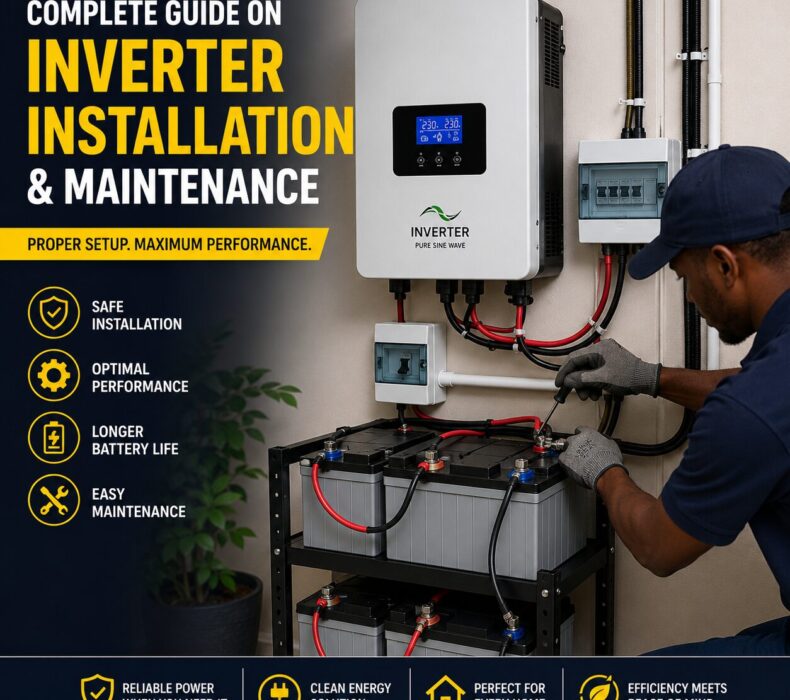
6. Connect Batteries Carefully
Battery connections must follow the correct polarity.
Incorrect wiring may damage the inverter instantly.
Professional technicians ensure:
- Tight cable connections
- Proper terminal alignment
- Safe cable arrangement
- Correct voltage balancing
This step is extremely important for system reliability.
7. Test the System
After installation, the inverter system should be tested thoroughly.
Technicians usually confirm:
- Charging performance
- Backup switching speed
- Battery operation
- Appliance compatibility
- Safety protection systems
Testing helps identify potential issues before regular usage begins.
Common Mistakes During Inverter Installation
Avoiding installation mistakes can save money and prevent future problems.
Poor Ventilation
Hot environments reduce battery efficiency and increase overheating risks.
Overloading the Inverter
Connecting excessive appliances can damage the inverter system.
Using Low-Quality Batteries
Cheap batteries often fail quickly and provide poor backup performance.
Incorrect Cable Sizes
Undersized cables may overheat and reduce efficiency.
DIY Installation Without Expertise
Improper installation may create electrical hazards and damage equipment.
Complete Guide to Inverter Maintenance
Regular maintenance helps improve system lifespan and efficiency.
1. Clean Batteries Regularly
Dust and dirt can affect battery terminals and reduce performance.
Use a clean dry cloth to wipe battery surfaces regularly.
2. Check Battery Water Levels
For wet-cell batteries, monitor electrolyte levels frequently.
Use only distilled water when refilling batteries.
Avoid overfilling because it may damage the system.
3. Inspect Cable Connections
Loose battery terminals can cause overheating and charging issues.
Ensure all cables remain firmly connected.
4. Avoid Complete Battery Drainage
Allowing batteries to discharge completely too often may reduce lifespan.
Recharge batteries before they become fully empty.
5. Keep the Installation Area Cool
Excessive heat affects both inverter performance and battery durability.
Ensure proper airflow around the system.
6. Monitor Charging Performance
Check whether batteries charge properly during public electricity supply.
Slow charging may indicate battery or inverter problems.
7. Schedule Professional Inspections
Periodic inspections by qualified technicians help detect hidden faults early.
Professional servicing improves safety and long-term reliability.
Signs Your Inverter Needs Maintenance
Certain warning signs indicate maintenance may be necessary.
Watch for:
- Reduced backup duration
- Overheating
- Strange sounds
- Slow charging
- Burning smell
- Frequent shutdowns
- Flashing error indicators
Addressing these problems early can prevent costly repairs.
Tips for Extending Inverter Lifespan
Homeowners can improve inverter durability by following simple practices.
Use Energy-Efficient Appliances
LED bulbs and efficient electronics reduce battery load.
Avoid Frequent Overloading
Operate only essential appliances during outages.
Invest in Quality Components
High-quality batteries and cables improve overall system performance.
Install Solar Panels
Solar charging helps reduce battery stress and improves charging consistency.
Conclusion
Inverter systems have become an essential backup power solution for Nigerian homes and businesses. However, proper installation and maintenance are necessary for achieving reliable performance and long-term savings.
From selecting suitable batteries to maintaining proper ventilation, every step contributes to system efficiency and durability. Regular maintenance also helps reduce repair costs while improving battery lifespan.



 Get it on
  Download on the