






If you’ve recently experienced a PalmPay Transfer Failed error, you’re not alone. Many PalmPay users occasionally encounter failed transfers due to network issues, bank delays, incorrect account details, or temporary system maintenance. Fortunately, most of these problems can be resolved quickly. In this guide, you’ll learn why your transfer failed, how to fix it, and what to do if your money has been debited but the recipient hasn’t received it.
Why Does PalmPay Transfer Failed Happen?
There are several reasons why a PalmPay transfer may not go through. Understanding the cause will help you resolve the issue faster.
Poor Internet Connection
First of all, PalmPay requires a stable internet connection to process transactions. If your network is weak or unstable, the transfer may fail before completion.
Incorrect Recipient Details
Another common reason is entering the wrong account number or selecting the wrong bank. Therefore, always double-check the recipient’s information before confirming any transfer.
Bank Server Downtime
Sometimes, the receiving bank may be experiencing technical issues or scheduled maintenance. As a result, the transfer cannot be completed immediately.
PalmPay System Maintenance
Occasionally, PalmPay performs system updates to improve its services. During these maintenance periods, some transactions may temporarily fail.
Insufficient Account Balance
If your wallet balance is lower than the transfer amount plus applicable charges, the transaction will fail automatically.
Exceeded Transaction Limits
Depending on your account verification level, PalmPay sets daily transaction limits. Consequently, exceeding these limits can prevent your transfer from being processed.
How to Fix PalmPay Transfer Failed
Fortunately, there are several simple solutions you can try before contacting customer support.
1. Check Your Internet Connection
Switch between mobile data and Wi-Fi if necessary. Additionally, ensure your connection is stable before retrying the transaction.
2. Verify the Recipient’s Details
Carefully review the account number, account name, and selected bank. Even a single incorrect digit can cause the transfer to fail.
3. Confirm Your Wallet Balance
Make sure your PalmPay wallet contains enough funds to cover both the transfer amount and any applicable transaction fees.
4. Wait and Retry Later
If the problem is caused by bank maintenance or network congestion, waiting for 10 to 30 minutes before trying again often resolves the issue.
5. Update the PalmPay App
Using an outdated version of the app may lead to transaction errors. Therefore, update PalmPay from your device’s app store to enjoy the latest improvements and bug fixes.
6. Restart Your Phone
Although simple, restarting your smartphone refreshes background services and may fix temporary app issues affecting transfers.
What If Money Was Debited but Transfer Failed?
One of the most frustrating situations is when your account is debited, but the recipient does not receive the money.
In most cases, the transaction is automatically reversed within a few minutes to 24 hours. However, some bank-related delays may take longer depending on the receiving institution.
Before panicking:
- Check your PalmPay transaction history.
- Wait for the normal reversal period.
- Ask the recipient to confirm their account balance.
- Avoid making duplicate transfers immediately.
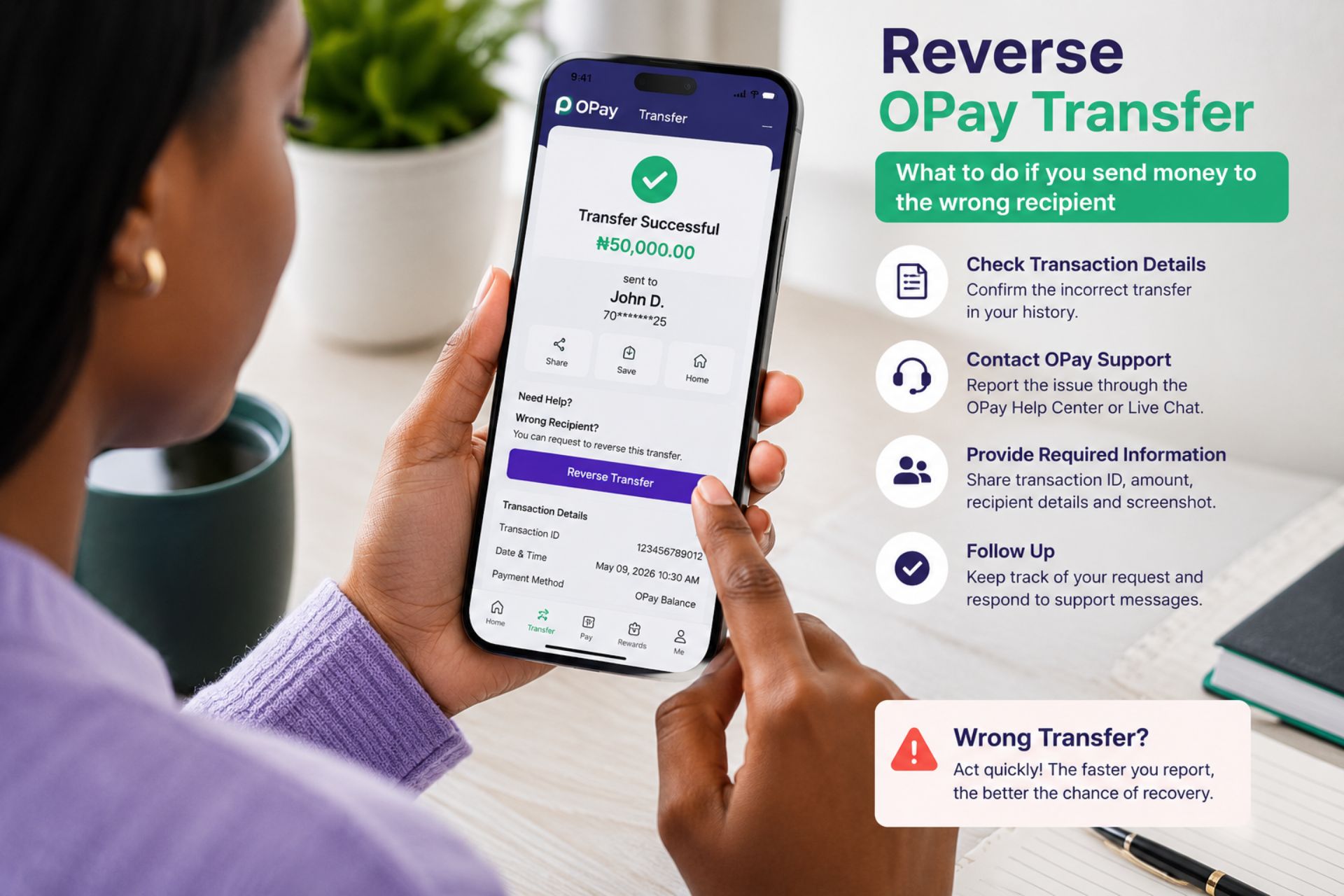
If the funds are not reversed after the expected period, contact PalmPay customer support with your transaction ID.
How to Contact PalmPay Support
If none of the troubleshooting steps work, reach out to PalmPay customer support.
Prepare the following information:
- Transaction ID
- Transfer amount
- Date and time of transaction
- Recipient account details
- Screenshot of the failed transaction (if available)
Providing complete information allows the support team to investigate your complaint more quickly.
Tips to Avoid PalmPay Transfer Failed Issues
To reduce the chances of future transfer failures:
Always Use a Stable Internet Connection
Reliable internet helps ensure transactions are processed successfully.
Keep Your PalmPay App Updated
Regular updates include security improvements and performance fixes.
Verify Recipient Information
Always confirm account details before tapping the transfer button.
Complete Your KYC Verification
A fully verified account enjoys higher transaction limits and fewer restrictions.
Avoid Peak Transaction Hours
During periods of heavy banking activity, network congestion can increase the likelihood of failed transfers. Whenever possible, perform transfers during less busy hours.
Frequently Asked Questions
Can I retry a failed PalmPay transfer?
Yes. However, first confirm that your account was not debited. If it was, wait for the reversal before attempting another transfer.
How long does PalmPay reversal take?
Most reversals happen within minutes or up to 24 hours, although delays can occur depending on the receiving bank.
Why does PalmPay keep saying transfer failed?
The most common reasons include poor internet connectivity, incorrect account details, bank server downtime, insufficient funds, transaction limits, or temporary system maintenance.
Will I lose my money if a transfer fails?
In most situations, no. If your account is debited and the transfer fails, the money is usually reversed automatically after processing.
Final Thoughts
Experiencing a PalmPay Transfer Failed message can be frustrating, but it is usually temporary and easy to resolve. By checking your internet connection, verifying recipient details, ensuring sufficient funds, and keeping your app updated, you can successfully complete most transactions. If your money has already been debited, remain patient while awaiting an automatic reversal. Should the issue persist, contact PalmPay support with your transaction details for prompt assistance.






 Get it on
  Download on the