







Slow internet can be frustrating, especially when you’re working remotely, attending online classes, streaming videos, or gaming. Fortunately, achieving Fast WiFi at Home is easier than many people think. By making a few simple adjustments to your router placement, network settings, and connected devices, you can significantly improve your internet speed and enjoy a smoother online experience.
Why Your Wi-Fi Speed Matters
A fast and stable Wi-Fi connection has become essential for everyday life. Whether you’re browsing the web, joining video meetings, or watching your favorite movies, internet speed directly affects your online experience.
Moreover, as more smart devices connect to home networks, maintaining Fast WiFi at Home becomes increasingly important. Slow speeds can cause buffering, lag during video calls, and delayed downloads, all of which reduce productivity and entertainment.
Common Reasons Your Wi-Fi Is Slow
Before improving your connection, it’s helpful to understand what may be causing slow internet speeds.
Some of the most common causes include:
- Poor router placement
- Too many connected devices
- Outdated router hardware
- Network interference
- Thick walls or large furniture
- Background downloads and updates
- Old router firmware
- Internet service provider limitations
Fortunately, most of these issues can be fixed without replacing your internet service.
Best Ways to Get Fast WiFi at Home
Position Your Router Correctly
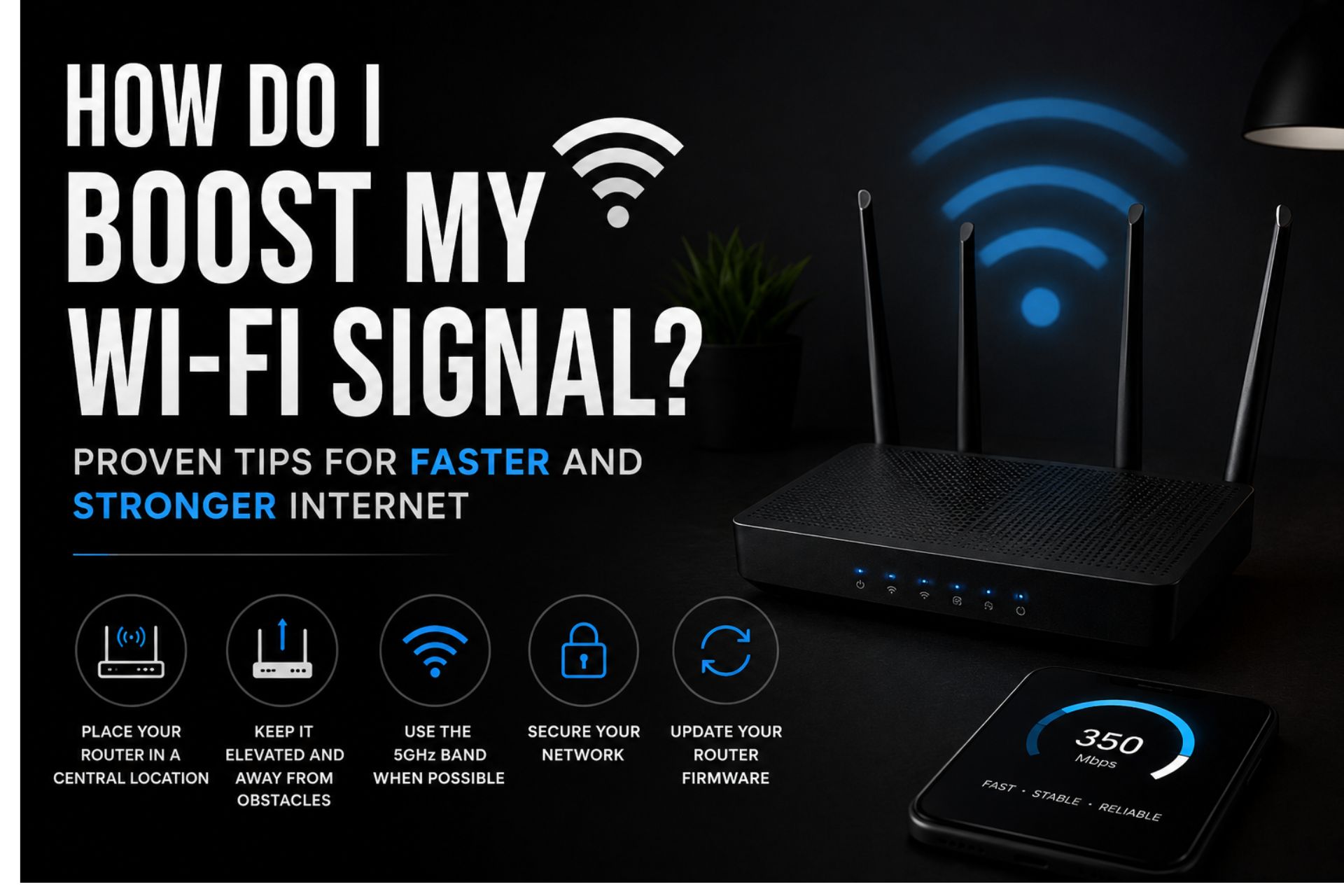
One of the simplest ways to improve Wi-Fi performance is proper router placement.
Ideally, place your router:
- Near the center of your home
- On a raised shelf or table
- Away from thick walls
- In an open space
- Away from electronic appliances
For example, placing the router inside a cabinet or behind a television can weaken the wireless signal.
Keep the Router Away from Interference
Many household electronics interfere with Wi-Fi signals.
Keep your router away from:
- Microwaves
- Cordless phones
- Bluetooth devices
- Baby monitors
- Large metal furniture
- Refrigerators
As a result, your wireless signal will remain stronger and more consistent.
Restart Your Router Regularly
Although it sounds simple, restarting your router clears temporary errors and refreshes your internet connection.
Experts recommend restarting your router at least once every week to maintain Fast WiFi at Home.
Update Your Router Firmware
Router manufacturers regularly release firmware updates that improve performance and security.
Therefore, log into your router’s settings occasionally to check for available updates.
Updated firmware often:
- Improves internet speed
- Fixes bugs
- Enhances security
- Boosts stability
Reduce the Number of Connected Devices
Every connected device shares your available internet bandwidth.
If dozens of devices are connected simultaneously, your network may slow down.
To improve performance:
- Disconnect unused devices.
- Turn off automatic cloud backups.
- Pause unnecessary downloads.
- Limit background streaming.
Consequently, active users receive more bandwidth.
Upgrade to a Modern Router
Older routers may not support today’s internet speeds.
If your router is more than five years old, upgrading to a newer model can dramatically improve performance.
Modern routers offer:
- Better coverage
- Faster wireless standards
- Improved security
- Support for multiple users
- Better performance for smart homes
Choose the Right Wi-Fi Frequency
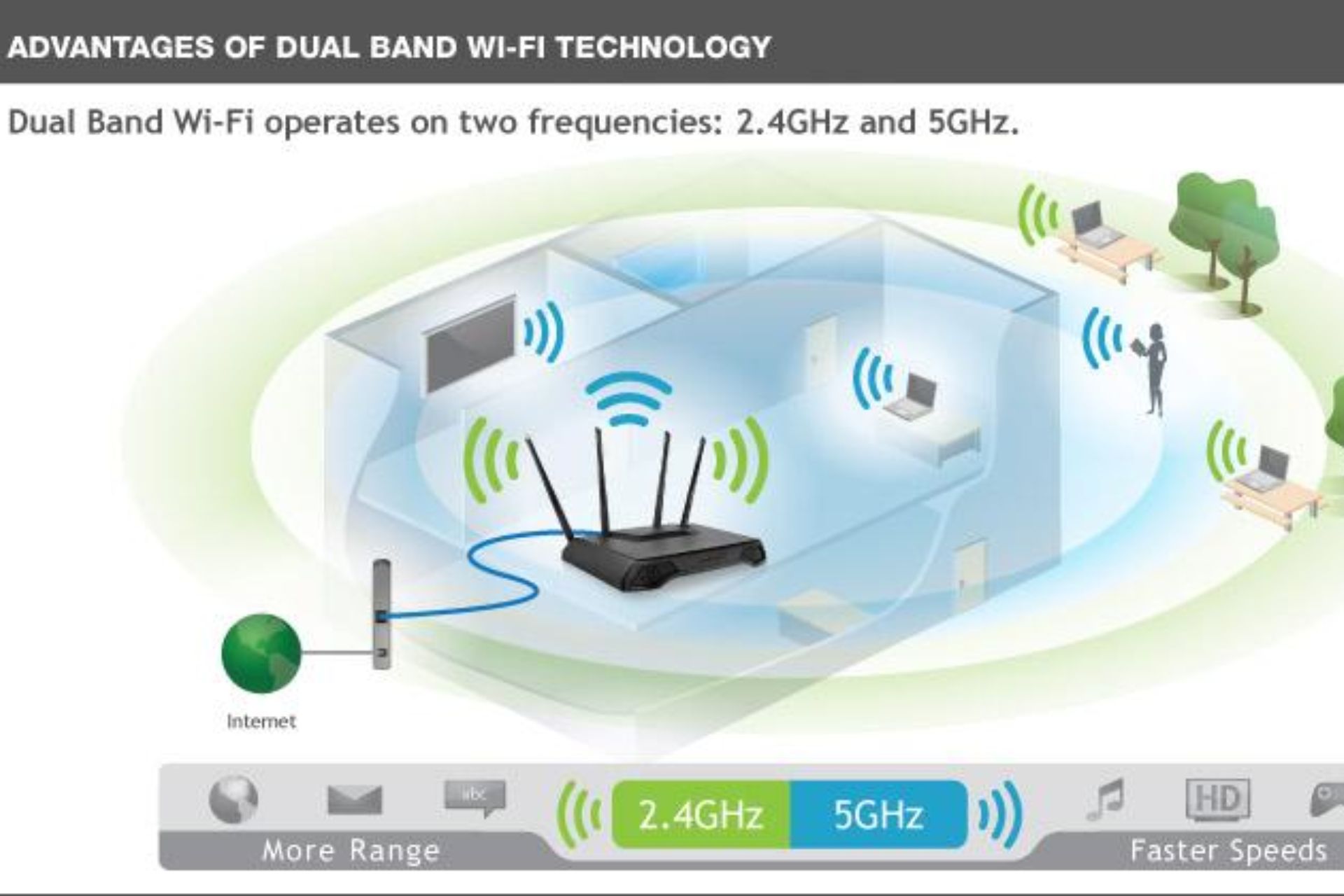
Most modern routers support both 2.4 GHz and 5 GHz bands.
2.4 GHz Network
The 2.4 GHz band:
- Covers longer distances
- Passes through walls better
- Works well for everyday browsing
However, it is often more congested.
5 GHz Network
The 5 GHz band offers:
- Faster internet speeds
- Lower interference
- Better performance for streaming
- Ideal gaming experience
Although its range is shorter, it is excellent for achieving Fast WiFi at Home when you’re close to the router.
Secure Your Wi-Fi Network
An unsecured Wi-Fi network allows unauthorized users to consume your internet bandwidth.
Always:
- Use a strong password.
- Enable WPA2 or WPA3 encryption.
- Change default administrator passwords.
- Regularly update login credentials.
This not only improves security but also ensures your internet is reserved for authorized users.
Use a Wi-Fi Extender or Mesh System
If your home has multiple rooms or several floors, some areas may experience weak signals.
In that case, consider using:
- Wi-Fi extenders
- Mesh Wi-Fi systems
- Additional access points
These devices help eliminate dead zones and provide Fast WiFi at Home throughout the property.
Limit High-Bandwidth Activities
Certain online activities consume large amounts of bandwidth.
Examples include:
- 4K video streaming
- Large file downloads
- Online gaming
- Video conferencing
- Cloud backups
Whenever possible, schedule heavy downloads during off-peak hours to improve overall network performance.
Test Your Internet Speed Regularly
Running speed tests helps determine whether your internet is performing as expected.
If your results are consistently lower than your subscribed plan, contact your internet provider for assistance.
Regular testing also helps identify network problems before they become serious.
Consider Faster Internet Equipment
Sometimes, the problem isn’t your Wi-Fi settings but the equipment itself.
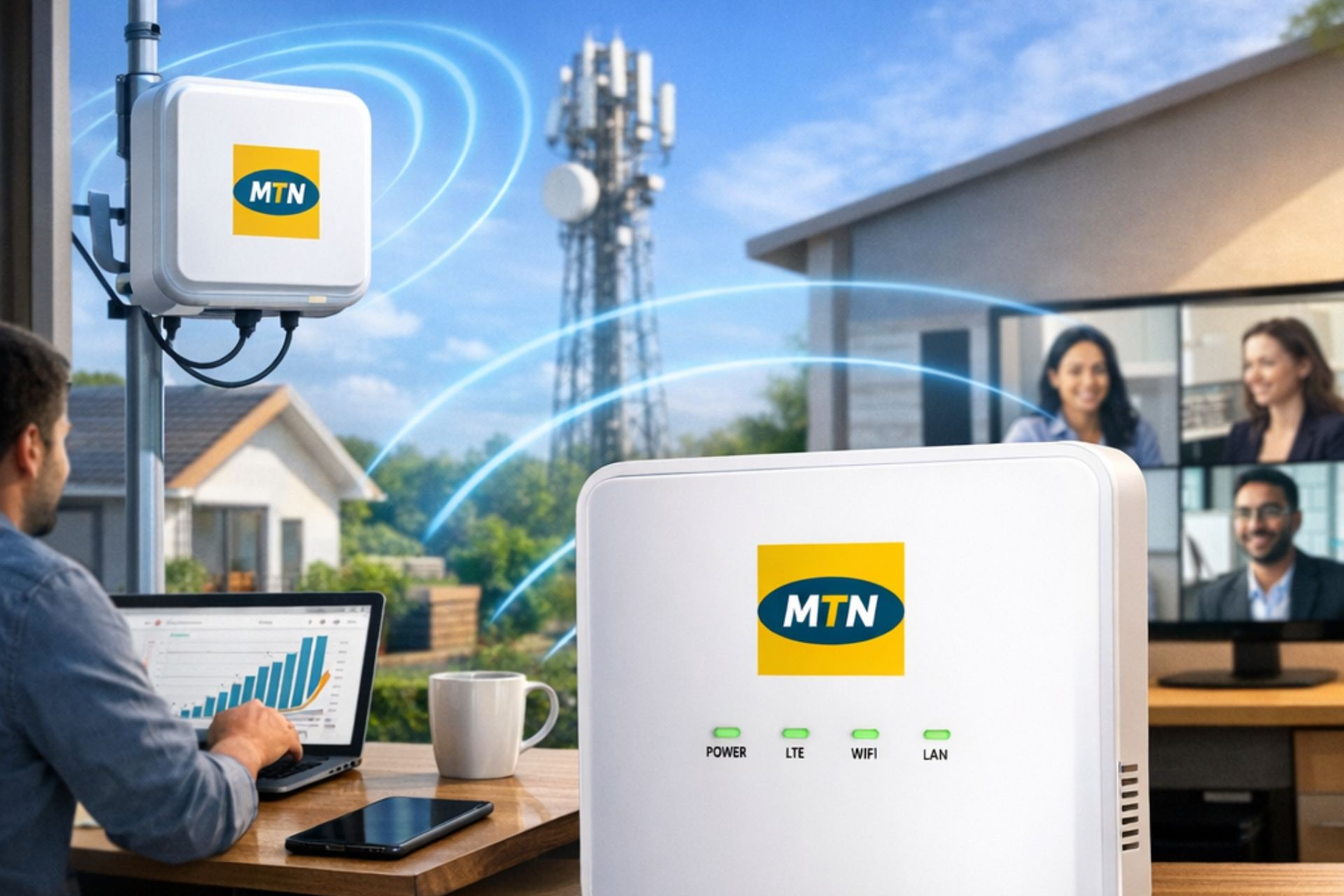
If you frequently work from home or operate a business, investing in high-performance broadband devices such as MTN ODU, fiber internet, or advanced wireless routers can significantly improve speed and reliability.
Simple Daily Habits That Improve Wi-Fi Speed
Turn Off Devices You Are Not Using
Inactive phones, tablets, smart TVs, and gaming consoles still consume bandwidth.
Disconnecting them helps free up network resources.
Avoid Blocking the Router
Keep furniture and decorative items away from the router to allow signals to travel freely.
Keep Your Router Cool
Overheating can reduce performance.
Ensure the router has adequate ventilation and isn’t placed in direct sunlight.
Benefits of Fast WiFi at Home
Improving your Wi-Fi speed offers numerous advantages, including:
- Faster downloads
- Buffer-free video streaming
- Smooth online gaming
- Better video conferencing
- Improved remote work productivity
- Reliable smart home connectivity
- Faster software updates
- Enhanced browsing experience
Most importantly, a reliable connection saves time and reduces frustration.
Conclusion
Achieving Fast WiFi at Home doesn’t always require purchasing expensive equipment. Instead, simple changes such as repositioning your router, updating firmware, reducing interference, and securing your network can make a noticeable difference. Furthermore, upgrading to modern internet devices when necessary ensures you continue enjoying reliable, high-speed connectivity. By following these practical tips, you can maximize your home internet performance and enjoy a faster, smoother online experience every day.
Frequently Asked Questions
Why is my Wi-Fi slow even with a fast internet plan?
Poor router placement, interference, outdated hardware, or too many connected devices can reduce Wi-Fi performance despite having a fast internet package.
How often should I restart my router?
Restarting your router once every week helps refresh the connection and improve stability.
Does router placement really affect internet speed?
Yes. Placing your router in a central, elevated, and open location significantly improves Wi-Fi coverage and speed.
Is a Wi-Fi extender worth buying?
Yes. If you experience weak signals in certain rooms, a Wi-Fi extender or mesh system can greatly improve coverage.
What is the best way to achieve Fast WiFi at Home?
Use a modern router, position it correctly, keep firmware updated, minimize interference, secure your network, and choose an internet plan that matches your household’s needs.




 Get it on
  Download on the