Finding reliable High-Speed Internet Nigeria users can depend on is becoming increasingly important for remote work, online businesses, streaming, gaming, virtual meetings and connected homes. Therefore, if you are considering Fibre Internet Nigeria, one of the first things you should establish is whether fibre service reaches your exact home or office.
This guide to MTN Coverage Areas explains where MTN FibreX is available, how to check coverage, what plans are available, how installation works and what you should know about the MTN WiFi Router and fibre equipment. More importantly, it helps you determine whether MTN Fibre is the right broadband choice for your needs.
What Is MTN FibreX?
MTN FibreX is MTN Nigeria’s fibre-optic broadband service for homes and businesses. Unlike mobile broadband, which connects through cellular networks, fibre broadband uses fibre-optic infrastructure to provide a fixed internet connection to your property.
As a result, fibre is particularly attractive for households with multiple connected devices, professionals working from home, content creators, gamers, businesses and families that consume large amounts of data.
MTN’s FibreX service offers plans with speeds ranging from 50Mbps to 1Gbps, depending on the package selected. Consequently, customers can choose a plan based on the number of users, devices and activities they expect to support.
MTN Fibre Coverage Areas in Nigeria: What You Need to Know
When searching for MTN Fibre Coverage Nigeria, it is important to understand that coverage is not necessarily uniform across an entire state or city.
In other words, living in an area where MTN FibreX operates does not automatically mean that every street, estate, compound or building is connected.
MTN provides an official FibreX coverage page and coverage locator that allow potential customers to check availability. Therefore, instead of relying on general online lists, prospective subscribers should check their exact location before making a payment.
MTN Fibre Locations and State-Level Availability
MTN continues to expand its fibre infrastructure across Nigeria. However, the availability of FibreX can vary considerably between locations.
For example, two customers living in the same city may have completely different experiences if fibre infrastructure has reached only one of their streets.
For this reason, anyone searching for MTN Fibre Locations should use MTN’s official coverage tools rather than relying solely on outdated third-party coverage lists.
Furthermore, when checking availability, consider:
Your state
Your city or town
Your street
Your estate or compound
Your exact installation address
How to Check MTN Fibre Coverage
If you are searching for MTN Fibre Near Me, the most reliable approach is to use MTN’s official coverage locator.
First, enter your location into the coverage tool. Next, select the FibreX network option and examine the coverage around your address. Finally, confirm with MTN that your specific property can be connected before paying for a plan.
You can also submit MTN’s Fibre Interest Form with your contact details and installation address. In addition, this can help MTN determine whether service can be provided at your location.
MTN Fibre Internet Nigeria: Available Speeds and Plans
One of the biggest advantages of MTN Fibre Internet Nigeria is the range of speed options.
Currently, MTN lists FibreX packages ranging from 50Mbps to 1Gbps. Therefore, users can choose a plan according to their household or business requirements rather than being limited to one standard speed.
MTN Fibre Plan
Speed
Validity
Listed Price
Basic
50Mbps
30 days
₦30,000
Standard
100Mbps
30 days
₦45,000
Advanced
200Mbps
30 days
₦70,000
Premium
300Mbps
30 days
₦100,000
Prestige
1Gbps
30 days
₦200,000
Nevertheless, prices and promotions can change. Therefore, always confirm the latest pricing directly with MTN before subscribing.
Which MTN Fibre Plan Should You Choose?
For a small household that mainly browses, streams videos and attends occasional video calls, the 50Mbps or 100Mbps plans may be sufficient.
On the other hand, larger households with multiple simultaneous users may benefit from 100Mbps or 200Mbps.
For businesses, professional content creators, heavy downloaders and households with demanding internet requirements, 300Mbps or 1Gbps may make more sense.
However, buying the fastest plan is not always the best decision. Your actual experience can also depend on Wi-Fi coverage, router positioning, device capabilities, Ethernet connections and the servers you connect to.
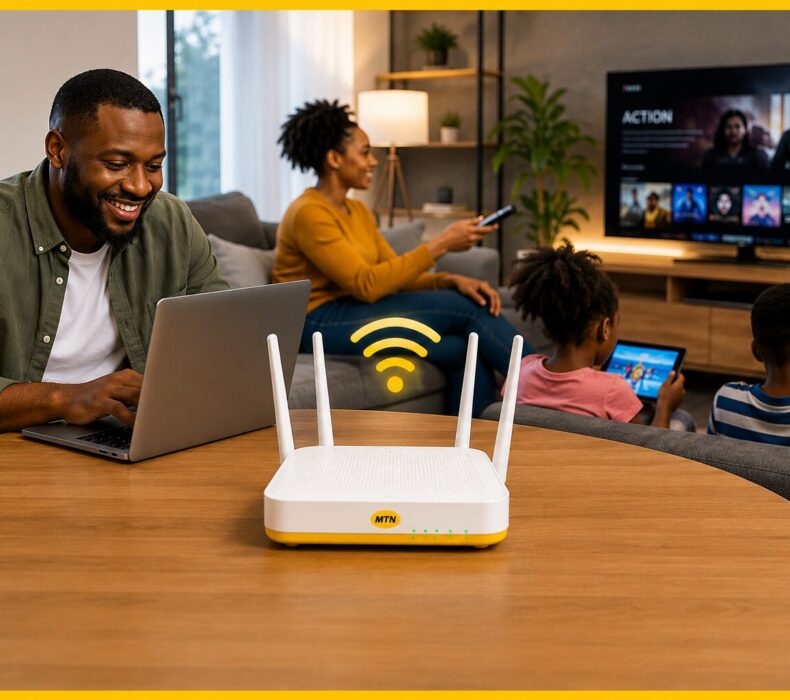
MTN WiFi Router and Fibre Equipment
Another important consideration is the equipment supplied with the service.
MTN advertises a free-to-use router and free installation with FibreX. Therefore, customers do not necessarily need to purchase a separate router before getting started.
The fibre connection uses an Optical Network Terminal (ONT). Importantly, MTN’s current terms state that eligible customers can receive the Fibre ONT at no upfront cost, subject to the applicable conditions.
However, there is an important distinction between receiving equipment and owning it. The ONT remains MTN’s property and may need to be returned when the service ends or when the customer relocates.
Consequently, customers should read the equipment terms carefully before subscribing.
MTN Fibre Installation: What Should You Expect?
Generally, MTN Fibre Installation involves connecting your property to available fibre infrastructure and configuring the required equipment.
MTN currently advertises free installation for FibreX customers. Nevertheless, the actual installation process depends on infrastructure availability, technical feasibility and the location of your property.
Before installation, make sure the technicians can access the relevant areas of your home or office.
Additionally, think carefully about where the router or ONT will be positioned. A fast fibre connection may still provide weak Wi-Fi in certain rooms if the router is blocked by thick walls or placed too far from connected devices.
Is MTN Fibre Good for Home Internet Nigeria?
For Home Internet Nigeria, MTN FibreX has several significant advantages.
First, fibre technology is designed to support high-bandwidth activities. Second, MTN’s FibreX plans are unlimited, meaning users do not have to manage a traditional monthly data allowance.
As a result, the service can be particularly useful for:
Remote workers
Families with multiple users
Online students
Streaming enthusiasts
Gamers
Content creators
Digital entrepreneurs
Small businesses
Offices
However, availability remains the most important consideration. If fibre infrastructure does not reach your property, you will need to consider another broadband solution.
MTN Broadband Coverage vs Mobile Broadband
It is also important to distinguish between MTN Broadband Coverage and MTN FibreX coverage.
Although MTN’s mobile network and FibreX are both provided by MTN, they use different connectivity technologies.
For instance, you could have excellent MTN 4G or 5G coverage at your location while FibreX is unavailable.
Therefore, do not assume that strong mobile network coverage automatically means that you can install MTN Fibre.
If FibreX is unavailable, MTN’s mobile broadband options may be worth considering. However, if FibreX is available and you require stable, high-volume internet, fibre may be the better fit.
Is MTN Fibre the Best Fibre Internet in Nigeria?
Calling any provider the Best Fibre Internet in Nigeria without considering location would be misleading.
In reality, fibre performance can vary from one neighbourhood to another. Therefore, the best provider for one household may not necessarily be the best provider for another.
Before choosing MTN Fibre, compare:
Availability at your exact address
Monthly subscription cost
Installation fees
Advertised speeds
Upload speeds
Latency
Customer support
Equipment supplied
Equipment ownership terms
Reliability in your neighbourhood
Ultimately, local performance and availability should carry more weight than brand reputation alone.
Advantages and Disadvantages of MTN FibreX
Advantages of MTN Fibre
Fibre-optic broadband technology
Multiple speed options
Unlimited FibreX plans
Free installation advertised by MTN
Free-to-use equipment for eligible customers
Suitable for homes and businesses
Multiple plans for different usage levels
Dedicated broadband support
Disadvantages of MTN Fibre
Availability varies by location
Higher-speed packages are relatively expensive
The ONT remains MTN property
Equipment return obligations may apply
Advertised maximum speeds do not necessarily represent the speed every device will experience
Overall, MTN FibreX has a strong feature set. Nevertheless, availability and affordability should determine whether it is right for you.
Frequently Asked Questions About MTN Fibre Coverage Areas
1. Is MTN Fibre available in my area?
MTN FibreX availability depends on your exact location rather than simply your state or city. Therefore, customers should use MTN’s official coverage locator to check whether FibreX reaches their street and property. Even if other homes nearby have MTN Fibre, your particular building may still require verification before installation.
2. How do I check MTN Fibre coverage near me?
To Check MTN Fibre Coverage, use MTN’s official Coverage Locator and search your address, state, landmark or location. Afterward, select the FibreX network option to examine availability. You can also submit MTN’s Fibre Interest Form with your address and contact details if you want MTN to follow up regarding service availability.
3. What are the current MTN Fibre plans?
MTN currently lists FibreX plans ranging from 50Mbps to 1Gbps. Specifically, the plans include Basic, Standard, Advanced, Premium and Prestige packages. Prices vary according to speed, with higher tiers costing more. Because telecom prices and promotions can change, check MTN’s official FibreX page for the latest price before subscribing.
4. Is MTN Fibre worth buying?
MTN FibreX can be worth buying if it is available at your address and you regularly require fast, unlimited internet. For example, remote workers, families, gamers and online businesses can benefit from a fixed fibre connection. However, compare local reliability, monthly cost, installation conditions and alternative ISPs before committing.
5. How long does MTN Fibre equipment last?
MTN does not treat the Fibre ONT as equipment that customers permanently purchase and own. Instead, the current terms provide a 12-month warranty against manufacturing defects from installation, subject to exclusions. MTN also states that the ONT remains its property. Therefore, customers should follow the applicable maintenance and return requirements.
6. What warranty does the MTN Fibre ONT include?
The current MTN terms specify a 12-month warranty against manufacturing defects from installation. However, the warranty does not cover damage caused by misuse, neglect or external factors. In addition, MTN retains ownership of the ONT, meaning customers should understand the equipment obligations before ending the service or relocating.
7. Is MTN Fibre beginner-friendly?
Yes. Fortunately, MTN FibreX is relatively straightforward for new broadband users because MTN advertises free installation and free-to-use equipment for eligible customers. You do not need advanced technical knowledge to subscribe. Nevertheless, router positioning and home Wi-Fi configuration become more important when you have a large house or many connected devices.
8. Can MTN Fibre be used for business?
Yes. In fact, MTN FibreX can be suitable for businesses that depend on stable internet for video meetings, cloud applications, remote work, uploads and other online activities. However, businesses should select a plan based on the number of employees, devices, applications and bandwidth requirements rather than simply choosing the cheapest available package.
9. Where can I subscribe to MTN Fibre?
You can start through MTN’s official FibreX website, FibreX coverage page or Fibre Interest Form. Before paying, however, confirm that FibreX is available at your exact installation address. This is particularly important because fibre availability can vary significantly between streets, estates and buildings, even within the same city.
10. What are the alternatives to MTN Fibre?
If MTN Fibre is unavailable or unsuitable, alternatives may include other fibre ISPs, 4G broadband and 5G broadband. When comparing them, look beyond advertised download speed. Instead, consider installation costs, upload performance, latency, reliability, customer support, equipment terms, coverage and the total monthly cost in your area.
Final Verdict on MTN Fibre Coverage Areas in Nigeria
The most important thing to understand about MTN Fibre Coverage Areas is that availability should come before price.
Overall, MTN FibreX is a strong option for users who need reliable Fibre Internet Nigeria for remote work, streaming, gaming, online learning, business operations and multiple connected devices.
Furthermore, its combination of fibre technology, unlimited plans and multiple speed tiers gives customers flexibility. At the same time, the service is not automatically available everywhere MTN operates.
Therefore, do not subscribe simply because MTN Fibre is available somewhere in your city. Instead, use the official coverage checker to confirm your exact address.
If FibreX is available and its pricing fits your budget, MTN Fibre can be a compelling option for High-Speed Internet Nigeria users. On the other hand, if it is unavailable, compare other fibre, 4G and 5G broadband options in your location.
In conclusion, the best way to make a confident decision is to check your coverage, compare your required speed with the available MTN Fibre Plans and consider the total cost of ownership before subscribing.















 Get it on
  Download on the