





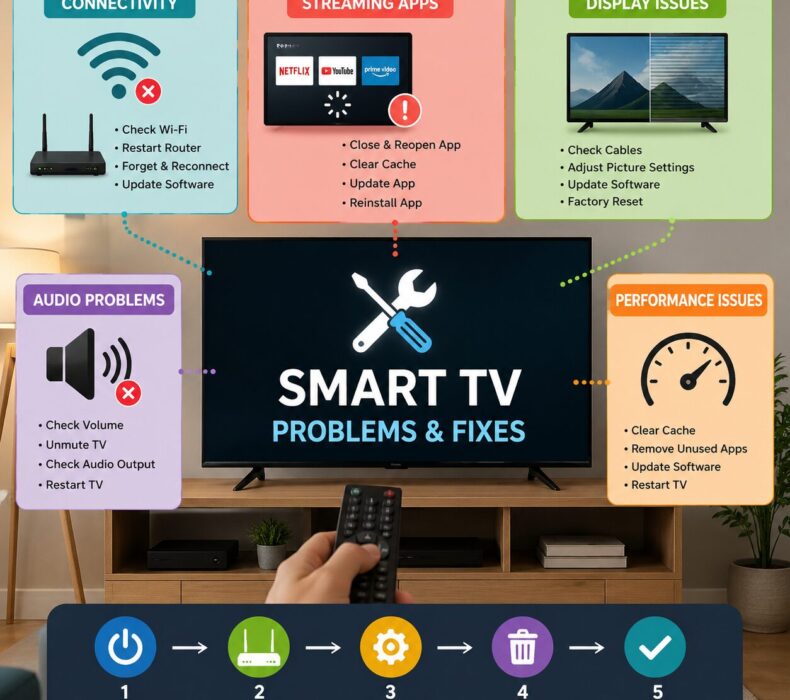
Smart TVs have transformed home entertainment by combining television viewing with internet connectivity, streaming apps, and smart features. However, like any electronic device, they can occasionally develop issues that affect performance. Understanding smart TV problems and fixes can help you troubleshoot common issues quickly and avoid unnecessary repair costs. Whether your TV struggles with internet connectivity, app crashes, sound problems, or display issues, there are simple solutions you can try before seeking professional assistance.
Why Smart TVs Experience Problems
Smart TVs rely on both hardware and software to function properly. Therefore, issues may arise due to outdated firmware, weak internet connections, corrupted applications, or incorrect settings. Fortunately, most common smart TV problems and fixes problems can be resolved with basic troubleshooting steps.
1. Smart TV Won’t Connect to Wi-Fi
One of the most common complaints among users is internet connectivity failure.
Possible Causes
- Weak Wi-Fi signal
- Incorrect network password
- Router malfunction
- Outdated TV software
How to Fix It
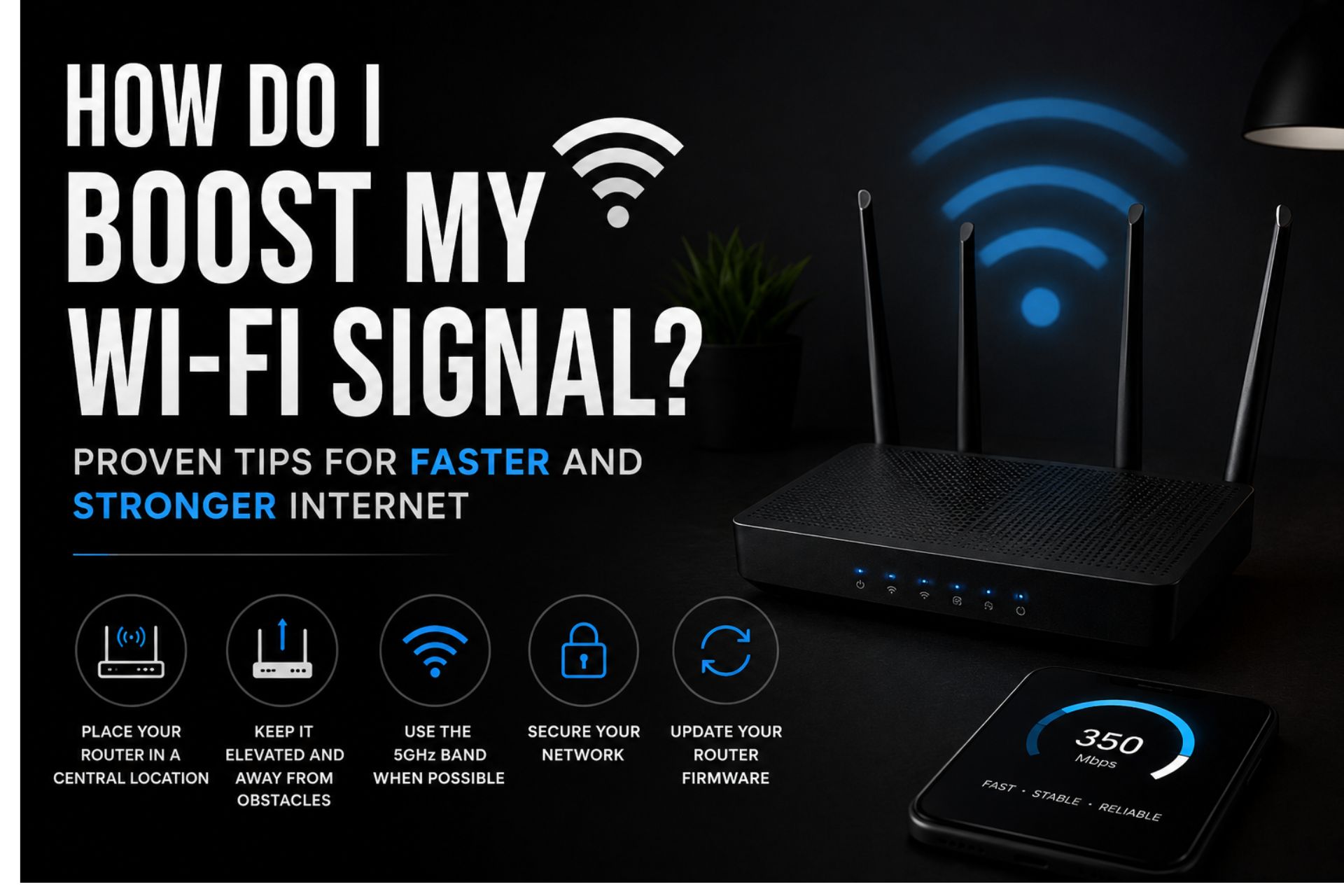
First, restart both your TV and router. Next, check that the Wi-Fi password is entered correctly. Additionally, move the router closer to the TV if the signal is weak.
If the problem persists:
- Go to Network Settings.
- Forget the current network.
- Reconnect using the correct password.
- Update your TV firmware.
As a result, many connectivity issues can be resolved within minutes.
2. Streaming Apps Keep Crashing
Many users experience apps like Netflix, YouTube, or Prime Video unexpectedly closing.
Possible Causes
- Insufficient memory
- Outdated apps
- Software bugs
How to Fix It
Firstly, close unused apps running in the background. Then:
- Update the affected application.
- Clear app cache and data.
- Restart the TV.
- Reinstall the app if necessary.
Furthermore, keeping apps updated helps improve stability and performance.
3. Smart TV Running Slowly
Over time, a Smart TV may become sluggish when opening apps or navigating menus.
Possible Causes
- Too many installed apps
- Limited storage space
- Outdated firmware
How to Fix It
To improve performance:
- Delete unused applications.
- Clear cached data.
- Install firmware updates.
- Restart the TV regularly.
In addition, performing a factory reset can restore speed if other solutions fail.
4. No Sound from the TV
Another common issue involves missing or distorted audio.
Possible Causes
- Muted volume settings
- Incorrect audio output configuration
- Loose cable connections
How to Fix It
First, check whether the TV is muted. Next:
- Increase the volume level.
- Verify audio output settings.
- Inspect HDMI and audio cables.
- Restart the television.
If external speakers are connected, ensure they are functioning properly.
5. Poor Picture Quality
Blurry images, pixelation, or poor color reproduction can ruin the viewing experience.
Possible Causes
- Low-quality streaming content
- Incorrect picture settings
- Weak internet connection
How to Fix It
Start by checking your internet speed. Then:
- Adjust brightness and contrast settings.
- Select the appropriate picture mode.
- Ensure content is streaming in HD or 4K.
- Update the TV software.
Consequently, picture quality often improves significantly.
6. Black Screen but Audio Works
Sometimes the TV produces sound while displaying a blank screen.
Possible Causes
- Backlight failure
- Software glitch
- Loose internal connections
How to Fix It
Firstly, perform a power cycle:
- Turn off the TV.
- Unplug it for one minute.
- Plug it back in and restart.
If the issue remains, a factory reset may help. However, hardware-related problems may require professional repair.
7. Remote Control Not Working
A malfunctioning remote can make controlling your TV frustrating.
Possible Causes
- Dead batteries
- Pairing issues
- Signal obstruction
How to Fix It
Replace the batteries first. Afterward:
- Remove obstacles between the remote and TV.
- Re-pair Bluetooth remotes.
- Clean the remote sensor.
Meanwhile, many Smart TVs also support smartphone control apps as a temporary solution.
8. Apps Not Downloading or Updating
Sometimes users cannot install or update applications.
Possible Causes
- Insufficient storage
- Network issues
- Software errors
How to Fix It
To resolve this issue:
- Free up storage space.
- Verify internet connectivity.
- Restart the TV.
- Update the operating system.
Additionally, checking the app store server status can be helpful.
9. Smart TV Keeps Restarting
Frequent restarts can interrupt viewing sessions and indicate deeper issues.
Possible Causes
- Power supply problems
- Software bugs
- Overheating
How to Fix It
Ensure proper ventilation around the TV. Next:
- Disable automatic power-saving features.
- Update the firmware.
- Check power cables and surge protectors.
As a result, many restart issues can be eliminated.
10. Screen Mirroring Not Working
Screen mirroring allows users to display smartphone content on their Smart TV. However, connection failures can occur.
Possible Causes
- Devices connected to different networks
- Compatibility issues
- Outdated software
How to Fix It
First, connect both devices to the same Wi-Fi network. Then:
- Enable screen mirroring on the TV.
- Restart both devices.
- Install available software updates.
Furthermore, checking device compatibility can prevent future issues.
Preventive Maintenance Tips
While knowing smart TV problems and fixes is important, prevention is even better.
Consider these maintenance tips:
- Keep software updated.
- Use a stable internet connection.
- Avoid overloading storage.
- Clean the screen properly.
- Restart the TV periodically.
- Use surge protection to prevent power damage.
By following these practices, your Smart TV can operate efficiently for many years.
Conclusion
Understanding common smart TV problems and fixes can save time, reduce frustration, and extend the lifespan of your television. Whether you’re dealing with Wi-Fi connectivity issues, app crashes, sound problems, or poor picture quality, most problems have straightforward solutions. Moreover, regular maintenance and software updates can help prevent many issues before they occur. With the right troubleshooting approach, you can keep your Smart TV performing at its best and enjoy a seamless entertainment experience.



 Get it on
  Download on the