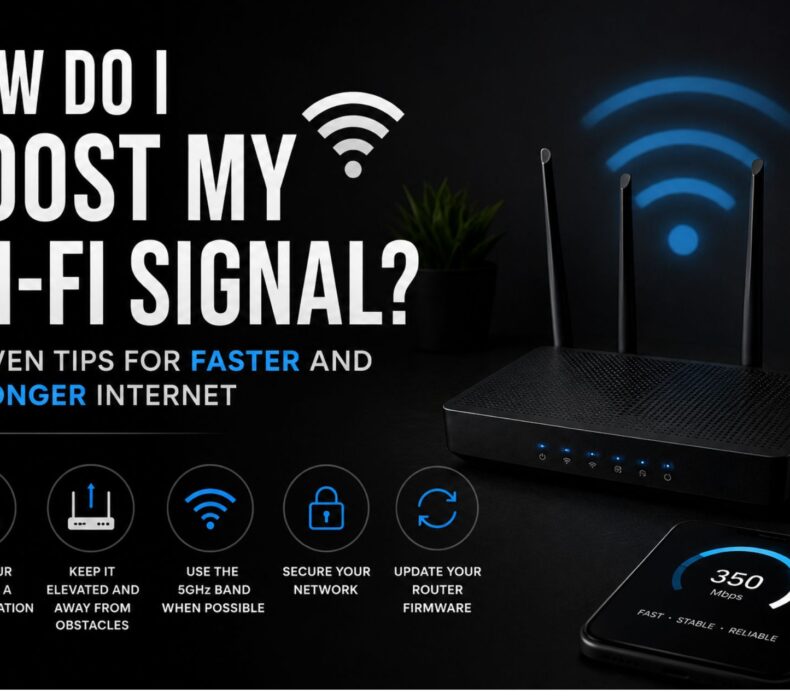
Weak Wi-Fi signals can be frustrating, especially when you’re streaming movies, attending virtual meetings, gaming online, or working from home. Fortunately, finding a reliable Strong signal solution doesn’t always require upgrading your internet plan. In many cases, simple adjustments to your router placement, network settings, and home setup can significantly improve your wireless coverage and speed. Therefore, understanding the common causes of weak signals is the first step toward enjoying a faster and more reliable internet connection.
Why Is My Wi-Fi Signal Weak?
Before applying a Fast signal solution, it’s important to understand why your Wi-Fi may not be performing well.
Several factors can reduce your wireless signal, including:
Thick concrete walls
Long distances from the router
Electronic interference
Too many connected devices
Outdated routers
Poor router placement
Old firmware
Network congestion
Fortunately, most of these issues can be resolved with simple changes.
Move Your Router to a Better Location
One of the easiest ways to improve Wi-Fi performance is by relocating your router.
For the best results, place your router:
Near the center of your home
On a high shelf or table
In an open space
Away from corners
Away from metal objects
As a result, the Wi-Fi signal can spread more evenly throughout your home.
Keep Your Router Away from Interference
Many household appliances interfere with wireless signals.
Keep your router away from:
Microwave ovens
Cordless phones
Bluetooth speakers
Baby monitors
Refrigerators
Large mirrors
Consequently, your Wi-Fi network will experience fewer interruptions.
Upgrade to a Modern Router
If your router is more than four or five years old, it may struggle to meet today’s internet demands.
A newer router offers:
Better signal strength
Faster wireless speeds
Improved security
Greater coverage
Better support for multiple devices
Investing in a modern router is often the most effective long-term Poor signal solution.
Switch to the 5 GHz Wi-Fi Band
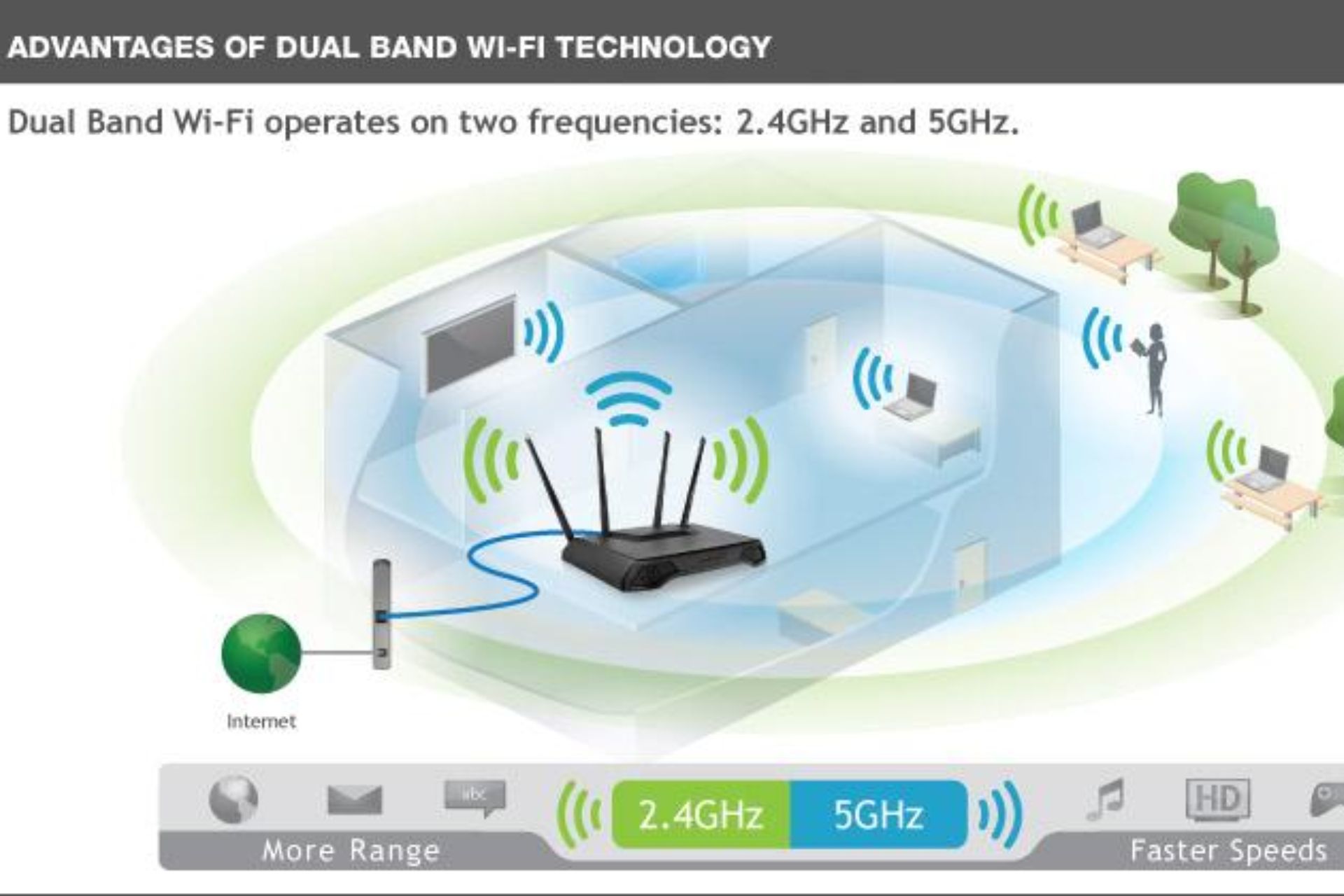
Most dual-band routers support both 2.4 GHz and 5 GHz frequencies.
2.4 GHz
This band:
Covers longer distances
Passes through walls more effectively
Supports older devices
However, it is more prone to interference.
5 GHz
The 5 GHz band provides:
Faster internet speeds
Less congestion
Lower latency
Better streaming performance
If you’re close to your router, switching to 5 GHz can noticeably improve your connection.
Restart Your Router Regularly
Although it seems simple, restarting your router clears temporary errors and refreshes your network.
Experts recommend restarting your router once every week to maintain peak performance.
Update Your Router Firmware
Manufacturers frequently release firmware updates that improve:
Stability
Speed
Security
Device compatibility
Therefore, regularly checking for updates is another effective Poor signal solution.
Reduce the Number of Connected Devices
Every connected device shares your available bandwidth.
To improve performance:
Disconnect unused devices.
Pause automatic updates.
Limit background downloads.
Turn off inactive smart devices.
This helps active users enjoy faster internet speeds.
Use a Wi-Fi Extender
If certain rooms have weak coverage, a Wi-Fi extender can significantly improve your network.
Benefits include:
Extended Wi-Fi range
Fewer dead zones
Better upstairs coverage
Improved outdoor connectivity
Consequently, every room receives a stronger signal.
Consider a Mesh Wi-Fi System
Large homes often benefit from mesh Wi-Fi instead of a single router.
Mesh systems provide:
Whole-home coverage
Seamless roaming
Strong connections
Stable internet throughout the property
This is one of the best solutions for larger houses with multiple floors.
Position Your Router Antennas Correctly
If your router has adjustable antennas:
Position one antenna vertically.
Position another horizontally.
This helps distribute Wi-Fi signals more effectively across different floors and rooms.
Secure Your Wi-Fi Network
Unauthorized users can consume bandwidth and reduce your internet speed.
Protect your network by:
Using WPA3 encryption
Setting a strong password
Changing default administrator credentials
Enabling guest Wi-Fi
A secure network improves both safety and performance.
Upgrade Your Internet Plan
Sometimes, weak performance isn’t caused by the Wi-Fi signal but by a slow internet package.
If multiple people regularly:
Stream 4K videos
Join video meetings
Download large files
Play online games
consider upgrading to a faster broadband plan.
Use Ethernet for Fixed Devices
Whenever possible, connect stationary devices such as:
Smart TVs
Desktop computers
Gaming consoles
using Ethernet cables.
This reduces Wi-Fi congestion and improves wireless performance for other devices.
Common Mistakes That Weaken Wi-Fi
Avoid these common mistakes:
Placing the router inside a cupboard
Keeping it on the floor
Ignoring firmware updates
Using outdated hardware
Positioning it near thick walls
Correcting these issues can dramatically improve your signal.
Benefits of a Strong Wi-Fi Signal
A stronger wireless network offers numerous advantages, including:
Buffer-free streaming
Faster downloads
Reliable video conferencing
Better online gaming
Stable smart home devices
Improved remote work
Better online learning
Most importantly, it provides a smoother and more enjoyable internet experience.
Frequently Asked Questions
Why is my Wi-Fi signal weak in some rooms?
Distance from the router, thick walls, and interference from electronic devices are common causes of weak Wi-Fi signals.
Does moving my router really help?
Yes. Placing your router in a central, elevated, and open location can significantly improve coverage.
Should I buy a Wi-Fi extender?
If only a few rooms have poor coverage, a Wi-Fi extender is an affordable solution. Larger homes may benefit more from a mesh Wi-Fi system.
Does restarting my router improve performance?
Yes. Restarting your router regularly clears temporary issues and refreshes your connection.
Can a better router improve my Wi-Fi signal?
Absolutely. Modern dual-band and Wi-Fi 6 routers provide stronger coverage, faster speeds, and better support for multiple connected devices.
Conclusion
Finding the right signal solution doesn’t have to be complicated or expensive. By repositioning your router, reducing interference, updating your equipment, and using tools like Wi-Fi extenders or mesh systems, you can significantly improve your wireless coverage. Additionally, upgrading to a modern router and selecting a broadband plan that matches your household’s needs will help you enjoy faster, more reliable internet for streaming, gaming, remote work, and everyday browsing.











 Get it on
  Download on the