Fast Laptops That Handle Multiple Chrome Tabs Easily

Fast Laptops That Handle Multiple Chrome Tabs Easily

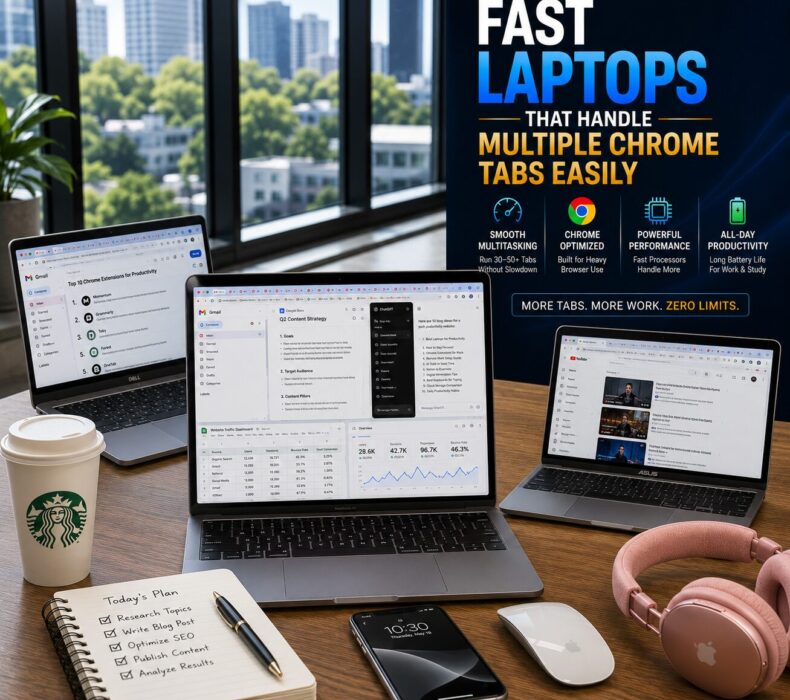
Fast laptops for multiple Chrome tabs have become essential in 2026. Whether you’re managing Gmail, ChatGPT, Google Docs, WordPress, analytics dashboards, or dozens of research pages, the right laptop can dramatically improve productivity and multitasking performance.

When 10 Chrome Tabs Turn Into 50

Most people start their day with only a few browser tabs open.

However, by lunchtime, things often look very different.

A typical workflow might include:

  • Gmail
  • Google Docs
  • WordPress
  • Canva
  • YouTube
  • ChatGPT
  • Google Analytics
  • Social media dashboards
  • Research pages
  • Online meetings

Before long, you have dozens of Chrome tabs running simultaneously.

Unfortunately, many laptops struggle under this type of workload.

As a result, users experience:

  • sluggish performance,
  • browser freezing,
  • loud fan noise,
  • battery drain,
  • and frustrating slowdowns.

Fortunately, modern laptops are now better equipped than ever to handle heavy browser-based workflows.

This guide highlights the fastest laptops that can comfortably manage multiple Chrome tabs while maintaining smooth performance throughout the day.

Why Chrome Uses So Much Memory

Google Chrome remains one of the most popular browsers in the world.

However, it is also one of the most demanding.

Each open tab consumes:

  • RAM
  • CPU resources
  • background processing power

Consequently, opening dozens of tabs simultaneously can quickly overwhelm weaker laptops.

Therefore, buyers should focus on more than just processor speed.

A balanced system is far more important.

What Makes a Laptop Good for Heavy Chrome Usage?

Several factors directly affect browser performance.

Sufficient RAM

RAM plays the biggest role.

For smooth multitasking:

  • 16GB RAM is recommended
  • 32GB RAM is ideal for power users

As a result, tabs remain active without constant refreshing.

Fast SSD Storage

SSD drives dramatically improve:

  • page loading,
  • application launching,
  • browser responsiveness,
  • and overall system speed.

Therefore, SSD storage is essential.

Modern Processors

Efficient processors improve multitasking significantly.

The best options include:

  • Apple M4 chips
  • Intel Core Ultra processors
  • AMD Ryzen AI processors

Consequently, browser-heavy workloads feel noticeably smoother.

Best Fast Laptops for Multiple Chrome Tabs in 2026

Laptop Best For RAM Efficiency Battery Life Multitasking
MacBook Air M4 Remote professionals Excellent Excellent Outstanding
Dell XPS 14 Business users Excellent Very Good Powerful
Lenovo ThinkPad X1 Carbon Productivity workflows Excellent Excellent Reliable
ASUS Zenbook 14 OLED Creators & bloggers Very Good Very Good Fast
HP Spectre x360 Hybrid work Very Good Good Smooth

1. Apple MacBook Air M4

Quick Verdict

The best overall choice for handling dozens of Chrome tabs without sacrificing battery life or portability.

The MacBook Air M4 continues setting the standard for browser performance.

Its efficiency allows users to run:

  • Chrome
  • ChatGPT
  • Google Workspace
  • Canva
  • WordPress

simultaneously without noticeable lag.

Pros

  • Outstanding battery life
  • Silent operation
  • Exceptional multitasking
  • Lightweight design
  • AI-ready performance

Cons

  • Limited ports
  • Premium pricing

2. Dell XPS 14

Quick Verdict

Perfect for professionals who constantly multitask across browsers, spreadsheets, meetings, and productivity tools.

The Dell XPS 14 combines:

  • premium design,
  • powerful processors,
  • and efficient cooling.

Consequently, it handles large browser workloads effortlessly.

Pros

  • Strong multitasking
  • Excellent display
  • Premium build quality
  • Reliable cooling

Cons

  • Expensive configurations
  • Limited upgrade options

3. Lenovo ThinkPad X1 Carbon

Quick Verdict

Ideal for professionals who prioritize reliability, keyboard comfort, and long work sessions.

The ThinkPad X1 Carbon remains one of the most dependable productivity laptops available.

Moreover, it manages heavy browser usage exceptionally well.

Pros

  • Excellent keyboard
  • Strong battery life
  • Reliable performance
  • Lightweight design

Cons

  • Conservative styling
  • Premium price tag

Why Cooling Matters for Browser Performance

Many buyers overlook cooling systems.

However, poor thermal management affects performance significantly.

When laptops overheat:

  • browser tabs become slower,
  • multitasking suffers,
  • and battery efficiency decreases.

Fortunately, modern premium laptops now feature:

  • improved airflow,
  • smarter thermal management,
  • and quieter cooling systems.

Consequently, performance remains stable even during heavy workloads.

Battery Life Insights

Heavy Chrome usage drains battery faster than many users expect.

Fortunately, newer processors have improved efficiency dramatically.

The best laptops now provide:

  • all-day battery life,
  • faster charging,
  • and lower power consumption.

As a result, users can work longer without carrying chargers everywhere.

AI Tools Increase Browser Demands

Modern workflows increasingly depend on:

  • ChatGPT
  • Gemini
  • Claude
  • Grammarly
  • Notion AI
  • Canva AI

Consequently, browser demands continue increasing.

Therefore, investing in a laptop with strong multitasking capabilities helps future-proof productivity.

Common Mistakes Buyers Make

Many buyers purchase laptops with:

  • only 8GB RAM,
  • slow storage,
  • or weak processors.

Unfortunately, those limitations become obvious quickly when browser tabs start multiplying.

Instead, focus on:

  • 16GB RAM or higher,
  • SSD storage,
  • efficient processors,
  • and reliable cooling.

Frequently Asked Questions(FAQ)

How much RAM is needed for multiple Chrome tabs?

For smooth multitasking, 16GB RAM is recommended. Heavy users may benefit from 32GB RAM.

Does Chrome perform better on MacBook?

Yes. Apple Silicon processors handle Chrome exceptionally well while maintaining strong battery efficiency.

Why does Chrome slow down laptops?

Chrome uses significant memory and processing resources, especially when dozens of tabs remain active.

Are gaming laptops better for Chrome multitasking?

Some gaming laptops perform well, but many sacrifice portability and battery life.

Which laptop handles Chrome tabs best?

The MacBook Air M4 remains one of the strongest options for browser-heavy productivity workflows.

Final Verdict

Modern productivity increasingly happens inside the browser.

Consequently, choosing a laptop that handles multiple Chrome tabs efficiently is more important than ever.

The best laptops combine:

  • powerful processors,
  • sufficient RAM,
  • efficient cooling,
  • strong battery life,
  • and smooth multitasking performance.

Investing in the right laptop today can dramatically improve productivity while eliminating frustrating browser slowdowns.

Best Overall Choice

Apple MacBook Air M4

Best Budget Choice

ASUS Zenbook 14 OLED

Best Premium Choice

Dell XPS 14