




Creative Work Should Feel Smooth, Not Frustrating
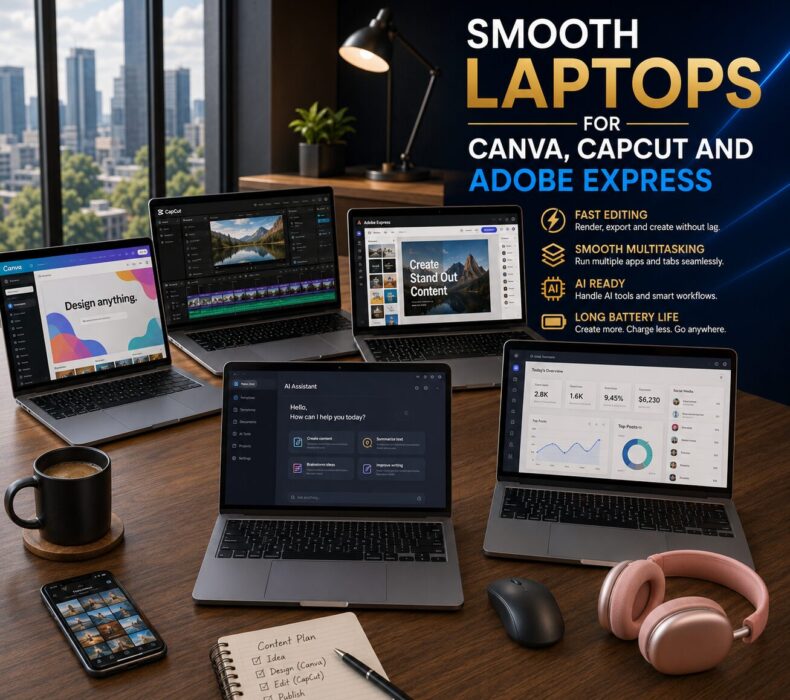
Laptops for Canva CapCut and Adobe Express have become essential tools for content creators, social media managers, bloggers, and entrepreneurs in 2026. Whether you’re designing graphics, editing videos, creating marketing content, or using AI-powered creative tools, the right laptop can dramatically improve productivity and workflow efficiency.
Nothing slows creativity faster than a struggling laptop. You open Canva to design social media graphics. Then you switch to CapCut for video editing. Next, Adobe Express is running in another tab while dozens of Chrome tabs remain open in the background.
Suddenly, everything becomes slow, Applications freeze, Fans become noisy, Projects take longer to complete.
Fortunately, modern laptops for Canva CapCut and Adobe Express are now significantly more powerful and efficient than previous generations.
In 2026, content creators, social media managers, entrepreneurs, bloggers, and digital marketers need laptops that can handle creative workflows smoothly without constant interruptions.
The right laptop improves productivity, reduces waiting time, and allows creators to focus on producing great content rather than fighting with their hardware.
What Canva, CapCut and Adobe Express Actually Need
Many people assume these applications require expensive workstation laptops.
However, that is not entirely true.
Instead, the best laptops for Canva CapCut and Adobe Express focus on:
- Fast processors
- Adequate RAM
- Fast SSD storage
- Efficient cooling
- Reliable battery life
- Strong multitasking performance
Consequently, users enjoy smoother editing, faster exports, and better overall productivity.
Key Features to Look For
Strong Multitasking Capability
Modern creators rarely use a single application.
Instead, many workflows involve:
- Canva
- CapCut
- Adobe Express
- Google Drive
- ChatGPT
- Gmail
- Chrome tabs
- Social media dashboards
simultaneously.
Therefore, multitasking performance matters significantly.
For most users, 16GB RAM should be considered the minimum.
Fast SSD Storage
Creative projects involve large files.
Consequently, SSD storage dramatically improves:
- Application launch speed
- File access
- Export times
- System responsiveness
Reliable Cooling Performance
Video editing and content creation generate heat.
Without proper cooling:
- Performance drops
- Fan noise increases
- Export times become longer
Fortunately, modern productivity laptops now feature much better thermal management.
Best Laptops for Canva CapCut and Adobe Express in 2026
| Laptop | Best For | Battery Life | Creative Work | Multitasking |
|---|---|---|---|---|
| MacBook Air M4 | Everyday creators | Excellent | Excellent | Outstanding |
| ASUS Zenbook 14 OLED | Content creators | Very Good | Excellent | Very Good |
| Dell XPS 14 | Professional productivity | Excellent | Excellent | Powerful |
| Lenovo ThinkPad X1 Carbon | Business creators | Excellent | Very Good | Reliable |
| HP Spectre x360 | Hybrid creators | Very Good | Excellent | Smooth |
1. Apple MacBook Air M4
Quick Verdict
The best overall laptop for Canva, CapCut, and Adobe Express users.
Apple’s M4 chip delivers impressive efficiency while maintaining excellent battery life.
Consequently, users can:
- Design graphics
- Edit videos
- Run AI tools
- Manage social media
without noticeable slowdowns.
Pros
- Outstanding battery life
- Silent operation
- Excellent export speeds
- Lightweight design
- Strong AI performance
Cons
- Premium pricing
- Limited ports
2. ASUS Zenbook 14 OLED
Quick Verdict
An excellent balance between performance and affordability.
The OLED display provides:
- Better color accuracy
- Improved image editing
- Enhanced visual quality
Consequently, it remains one of the most attractive options for creators.
Pros
- Beautiful OLED display
- Strong value
- Lightweight design
- Excellent creative performance
Cons
- Smaller cooling system
- Speakers could improve
3. Dell XPS 14
Quick Verdict
Perfect for creators who also need strong business productivity.
The Dell XPS 14 combines:
- Premium build quality
- Excellent multitasking
- Powerful processors
- Efficient cooling
As a result, it handles demanding creative workflows with ease.
Pros
- Premium construction
- Excellent cooling
- Strong performance
- Beautiful display
Cons
- Expensive configurations
- Limited ports
Performance Insights
Creative applications rely heavily on responsiveness.
Fortunately, modern laptops for Canva CapCut and Adobe Express provide:
- Faster rendering
- Better export speeds
- Smoother editing
- Improved multitasking
Consequently, productivity improves significantly.
Battery Life Insights
Content creators often work remotely.
Therefore, battery life remains extremely important.
The latest generation laptops now provide:
- All-day productivity
- Faster charging
- Better efficiency
- Improved portability
As a result, creators can work almost anywhere.
AI Tools Are Becoming Essential
Modern content creation increasingly involves AI.
Today many creators use:
- ChatGPT
- Canva AI
- Adobe Firefly
- Notion AI
- Grammarly
Consequently, laptops must provide sufficient power to handle AI-assisted workflows smoothly.
Fortunately, every laptop on this list performs well with modern AI productivity tools.
Common Buying Mistakes
Many buyers focus only on processor speed.
However, creative workflows also depend heavily on:
- RAM
- Cooling
- Display quality
- Storage speed
Therefore, a balanced system often performs better than a laptop with impressive specifications alone.
Frequently Asked Question(FAQ)
Is 8GB RAM enough for Canva and CapCut?
For light usage, yes. However, 16GB RAM provides a significantly smoother experience.
Do I need a dedicated graphics card?
Most Canva and Adobe Express users do not. However, heavy CapCut video editing may benefit from one.
Which laptop is best for Canva users?
The MacBook Air M4 remains one of the strongest options because of its efficiency, battery life, and smooth performance.
Can AI tools run smoothly on these laptops?
Yes. All recommended laptops handle modern AI productivity tools effectively.
How much storage should creators choose?
At least 512GB SSD is recommended for long-term flexibility.
Final Verdict
Content creation demands more from laptops than ever before.
Consequently, investing in a laptop optimized for Canva, CapCut, and Adobe Express can dramatically improve productivity.
The best options combine:
- Strong performance
- Reliable cooling
- Excellent battery life
- Smooth multitasking
- AI productivity support
Ultimately, the right laptop helps creators spend less time waiting and more time creating.
Best Overall Choice
Apple MacBook Air M4
Best Budget Choice
ASUS Zenbook 14 OLED
Best Premium Choice
Dell XPS 14
Related Posts:
- Tags:
- Laptops


 Get it on
  Download on the