A Great Keyboard Can Completely Change Productivity
Most people underestimate how much a laptop keyboard affects daily productivity.
However, anyone who spends hours typing every day immediately notices the difference between a frustrating keyboard and a comfortable one.
In 2026, many people now use laptops for:
remote work,
blogging,
content writing,
business communication,
programming,
AI productivity tools,
online meetings,
and multitasking workflows.
Consequently, typing comfort matters more than ever.
Unfortunately, some modern laptops prioritize ultra-thin designs while sacrificing keyboard quality completely.
As a result, users experience:
finger fatigue,
uncomfortable typing,
shallow key travel,
typing errors,
and reduced productivity.
Fortunately, several modern laptops still deliver exceptional keyboard experiences while maintaining strong performance, excellent battery life, and smooth multitasking capability.
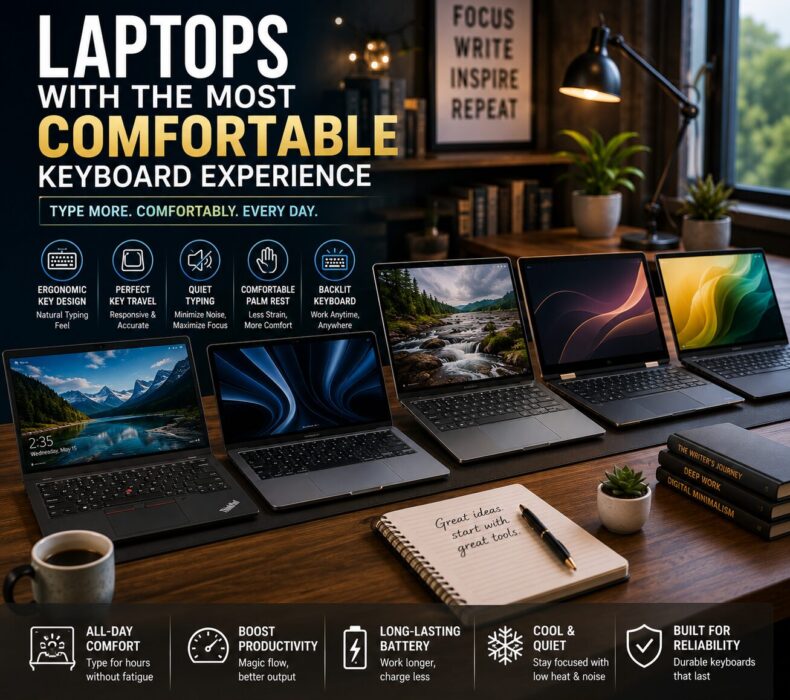
This guide covers the best laptops with the most comfortable keyboard experience in 2026.
Why Keyboard Comfort Matters
Typing comfort directly affects:
speed,
productivity,
focus,
and overall workflow efficiency.
Interestingly, even small improvements in keyboard design can significantly reduce typing fatigue during long work sessions.
Therefore, buyers should carefully evaluate:
key travel,
key spacing,
typing feedback,
palm rest comfort,
and keyboard layout.
What Makes a Laptop Keyboard Comfortable?
Not every premium-looking keyboard feels good during long-term use.
Comfortable keyboards usually provide:
responsive feedback,
balanced key resistance,
proper spacing,
and quiet typing.
Additionally, premium laptops often include:
backlit keyboards,
better palm rests,
quieter switches,
and improved ergonomics.
Consequently, typing becomes smoother and more enjoyable.
Best Laptops With Comfortable Keyboard Experience in 2026
Laptop
Best For
Battery Life
Typing Comfort
Cooling
Lenovo ThinkPad X1 Carbon
Writers & professionals
Excellent
Outstanding
Excellent
MacBook Air M4
Everyday productivity
Excellent
Excellent
Silent
Dell XPS 14
Premium business workflows
Very Good
Very Good
Excellent
HP Spectre x360
Hybrid productivity
Good
Comfortable
Very Good
ASUS Zenbook 14 OLED
Content creators
Very Good
Smooth
Good
1. Lenovo ThinkPad X1 Carbon
Quick Verdict
Perfect for professionals, writers, programmers, and anyone who types extensively every day.
Without a doubt, Lenovo ThinkPads continue dominating keyboard quality.
Interestingly, many users still consider ThinkPad keyboards the gold standard for laptop typing comfort.
The ThinkPad X1 Carbon offers:
deep key travel,
excellent tactile feedback,
spacious layout,
and minimal typing fatigue.
Consequently, it performs exceptionally well during long writing sessions.
Pros
Outstanding typing comfort
Excellent battery life
Reliable cooling performance
Lightweight business design
Strong multitasking
Cons
Premium pricing
Conservative appearance
2. Apple MacBook Air M4
Quick Verdict
Excellent for users who want smooth typing, silent operation, and strong everyday productivity.
Apple has significantly improved keyboard quality over recent generations.
Consequently, the MacBook Air M4 now delivers:
comfortable typing,
excellent responsiveness,
quiet operation,
and smooth productivity.
Additionally, its fanless cooling system keeps noise levels completely silent.
Pros
Silent cooling
Exceptional battery life
Lightweight portability
Excellent multitasking
Strong AI productivity support
Cons
Limited ports
Fewer hardware upgrade options
3. Dell XPS 14
Quick Verdict
Best for professionals who want premium design combined with smooth typing and strong multitasking performance.
The Dell XPS lineup balances:
elegant design,
typing comfort,
cooling efficiency,
and productivity performance
extremely well.
Moreover, the keyboard provides:
comfortable spacing,
responsive keys,
and smooth typing feedback.
Pros
Premium build quality
Excellent cooling
Beautiful display
Strong productivity performance
Cons
Expensive configurations
Keyboard travel slightly shallower
Why Cooling Matters for Typing Comfort
Interestingly, overheating affects typing comfort more than many buyers realize.
When laptops overheat:
palm rests become warm,
fans become loud,
and performance slows down.
Consequently, productivity suffers significantly.
Fortunately, modern premium laptops now include:
smarter thermal management,
quieter cooling systems,
and more efficient processors.
As a result, typing remains comfortable during extended workloads.
Battery Life Is Equally Important
Typing comfort alone is not enough.
Writers, professionals, and students also need:
strong battery life,
lightweight portability,
and reliable multitasking.
Fortunately, modern productivity laptops now provide:
all-day battery performance,
faster charging,
and improved power efficiency.
Therefore, users can work longer without interruptions.
AI Productivity Tools Are Changing Workflows
Modern workflows increasingly rely on:
ChatGPT,
Grammarly,
Notion AI,
Google Workspace,
Canva,
and AI-assisted writing platforms.
Consequently, laptops now require:
stronger multitasking,
efficient RAM management,
and reliable processors.
Fortunately, modern AI-ready laptops handle these workflows much more efficiently.
Best Laptop Specifications for Comfortable Productivity
Recommended Minimum Specs
For Everyday Productivity
Intel Core Ultra 5 / Ryzen 5 / Apple M-series
16GB RAM
512GB SSD
Backlit keyboard
Full HD display
For Heavy Multitasking
32GB RAM
Advanced cooling systems
OLED display
AI-enhanced processors
Common Mistakes Buyers Make
Many buyers focus only on:
processor speed,
thin designs,
or flashy aesthetics.
Unfortunately, they often ignore keyboard comfort completely.
Consequently, typing becomes tiring during long-term use.
Instead, buyers should prioritize:
ergonomic keyboards,
thermal efficiency,
battery life,
and real-world productivity.
Frequently Asked Questions
Which laptop has the best keyboard in 2026?
The Lenovo ThinkPad X1 Carbon remains one of the best laptops for typing comfort and long productivity sessions.
Are MacBook keyboards comfortable for writers?
Yes. Modern MacBook keyboards now provide significantly better comfort, responsiveness, and reliability than older butterfly keyboards.
Does keyboard comfort affect productivity?
Absolutely. Comfortable keyboards reduce typing fatigue and improve speed, accuracy, and long-term workflow consistency.
Are thinner laptops worse for typing?
Sometimes. Extremely thin laptops may reduce key travel, which can affect long typing comfort.
How much RAM do productivity users need?
16GB RAM is ideal for multitasking, AI productivity tools, writing applications, and professional workflows.
Final Verdict
Modern productivity depends heavily on typing comfort, multitasking efficiency, battery life, and thermal performance.
Consequently, investing in a laptop with a comfortable keyboard can significantly improve:
workflow consistency,
writing speed,
focus,
and long-term productivity.
The best laptops combine:
responsive keyboards,
efficient cooling,
strong battery life,
lightweight portability,
and reliable multitasking performance.
Ultimately, the best keyboard laptop is not simply the most expensive device — it is the one that makes typing feel natural, comfortable, and effortless every single day.













 Get it on
  Download on the