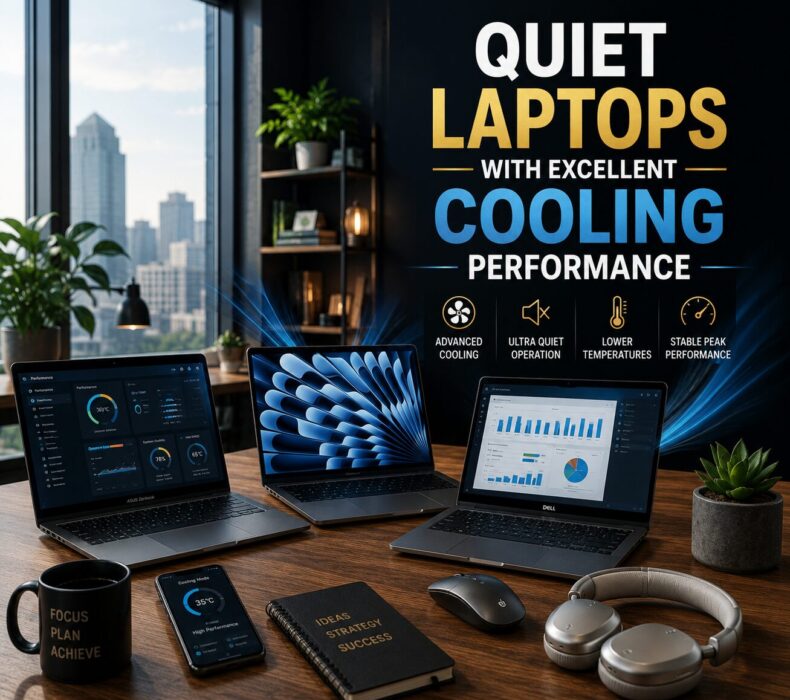
Modern laptops have become significantly more powerful in 2026. However, increased performance often creates another major issue — excessive heat and loud fan noise. Consequently, many users now prioritize quieter laptops with excellent cooling systems that can maintain strong performance without overheating.
Today, professionals, students, entrepreneurs, and creators frequently multitask between demanding applications. For example, many users run:
Video meetings
Multiple browser tabs
Editing software
Productivity applications
Streaming services
Creative tools
simultaneously.
As a result, poorly cooled laptops quickly become noisy, uncomfortable, and inefficient.
Fortunately, several modern laptops now combine powerful hardware with advanced thermal management systems. Therefore, users can enjoy smooth performance while maintaining quieter and cooler operation throughout the day.
Why Cooling Performance Matters
First and foremost, cooling directly affects laptop performance and long-term durability.
When laptops overheat excessively, they often:
Slow down automatically
Increase loud fan activity
Drain battery faster
Reduce overall lifespan
Become uncomfortable during use
Consequently, productivity suffers significantly.
Moreover, excessive heat can affect internal components over time. Therefore, laptops with strong cooling systems usually provide better long-term reliability.
Fortunately, manufacturers now focus more heavily on:
Vapor chamber cooling
Dual-fan systems
Improved airflow
Smarter thermal optimization
As a result, modern premium laptops run much quieter than older generations.
What Makes a Laptop Quiet?
Many people assume thin laptops are automatically quieter. However, cooling efficiency matters far more than size alone.
Quiet laptops usually include:
Efficient processors
Smart fan management
Better airflow systems
Advanced cooling materials
Optimized software performance
Consequently, they maintain stable temperatures without excessive noise.
Efficient Processors Reduce Heat
Modern processors have become dramatically more power efficient.
For example:
Apple M-series chips
Intel Core Ultra processors
AMD Ryzen AI processors
consume less power while delivering stronger performance.
As a result, laptops remain:
Cooler
Quieter
More battery efficient
during demanding workloads.
Why Quiet Laptops Improve Productivity
Interestingly, loud laptops can become mentally distracting.
For instance, constant fan noise during:
Meetings
Office work
Online classes
Editing sessions
Remote collaboration
can reduce focus and comfort significantly.
Therefore, quieter laptops create a more professional and comfortable work environment.
Quiet Laptops Worth Considering in 2026
1. Apple MacBook Air M4
Without a doubt, the MacBook Air M4 remains one of the quietest laptops available today.
Interestingly, it operates without a traditional cooling fan.
As a result, users enjoy:
Completely silent performance
Excellent battery life
Smooth multitasking
Exceptional portability
Consequently, it is ideal for students, professionals, and entrepreneurs.
2. Dell XPS 14
The Dell XPS 14 combines premium design with efficient thermal management.
Additionally, it offers:
Quiet operation
Strong productivity performance
Premium build quality
Excellent display quality
Therefore, it remains one of the best premium Windows productivity laptops.
3. ASUS Zenbook 14 OLED
ASUS continues improving thermal efficiency significantly.
The Zenbook 14 OLED provides:
Quiet fan performance
Lightweight portability
Beautiful OLED visuals
Strong multitasking
Consequently, it works perfectly for everyday productivity and entertainment.
4. Lenovo Yoga 9i
This premium 2-in-1 laptop balances performance and quiet operation exceptionally well.
Moreover, it features:
Efficient cooling
Flexible design
Long battery life
Comfortable productivity experience
As a result, it remains popular among professionals and creators.
Common Laptop Cooling Mistakes Buyers Ignore
Many buyers focus only on processor speed while ignoring thermal management completely.
Consequently, they purchase laptops that:
Overheat quickly
Produce excessive fan noise
Lose performance under pressure
Therefore, cooling systems matter just as much as raw specifications.
Why Gaming Laptops Are Usually Louder
Gaming laptops often prioritize maximum performance over quiet operation.
As a result, they usually include:
Aggressive fan systems
Higher heat output
Larger cooling vents
Louder airflow noise
Consequently, productivity users may prefer creator or business laptops instead.
How to Keep Your Laptop Cool
Even premium laptops benefit from proper usage habits.
For example:
Avoid blocking ventilation
Use laptops on flat surfaces
Clean vents regularly
Avoid excessive heat exposure
As a result, cooling systems perform more efficiently long-term.
Final Thoughts
In conclusion, the best quiet laptops with excellent cooling combine strong performance, efficient processors, smart thermal management, and comfortable daily usability.
Whether you choose the MacBook Air M4, Dell XPS 14, ASUS Zenbook 14 OLED, or Lenovo Yoga 9i, investing in a properly cooled laptop can improve productivity while reducing noise and overheating frustrations significantly.
Ultimately, the best quiet laptop is not simply the most powerful one — it is the one that consistently delivers smooth performance while remaining cool, stable, and comfortable during everyday use.













 Get it on
  Download on the