Laptop overheating has become one of the most frustrating problems for modern users. Today, many people rely heavily on laptops for work, content creation, gaming, online meetings, multitasking, and demanding productivity tasks. Consequently, weak cooling systems can negatively affect both performance and comfort.
Unfortunately, many laptops still struggle with heat management. As a result, users often experience:
Loud fan noise
Performance slowdowns
Excessive heat
Battery drain
System lag
Uncomfortable keyboard temperatures
during heavy workloads.
Fortunately, several modern laptops in 2026 now combine powerful hardware with advanced cooling technology. Therefore, users can enjoy smoother performance without constant overheating issues.
Whether you are a student, entrepreneur, creator, remote worker, or professional, choosing a laptop with strong thermal management can significantly improve your overall experience.
Why Laptop Overheating Matters
First and foremost, overheating directly affects performance.
When laptops become excessively hot, processors automatically reduce performance to protect internal components. Consequently, users experience:
Slower multitasking
Reduced responsiveness
Lower gaming performance
Application lag
System instability
Moreover, prolonged heat exposure may reduce the lifespan of internal hardware over time.
Therefore, efficient cooling systems are no longer luxury features — they are essential for long-term reliability.
What Causes Laptop Overheating?
Several factors contribute to overheating.
For example:
Poor airflow design
Weak cooling systems
Dust buildup
Power-hungry processors
Thin chassis limitations
Poor ventilation habits
Consequently, even expensive laptops can struggle under pressure if cooling optimization is poor.
Fortunately, newer laptops now use:
Vapor chamber cooling
Improved fan systems
Smarter thermal management
Better airflow engineering
to maintain lower temperatures more efficiently.
Why Efficient Processors Matter
Modern processors have become dramatically more power efficient.
For instance:
Apple M-series processors
Intel Core Ultra chips
AMD Ryzen AI processors
deliver stronger performance while generating less heat.
As a result, laptops remain:
Cooler
Quieter
More battery efficient
during demanding workloads.
Therefore, processor efficiency now plays a major role in thermal performance.
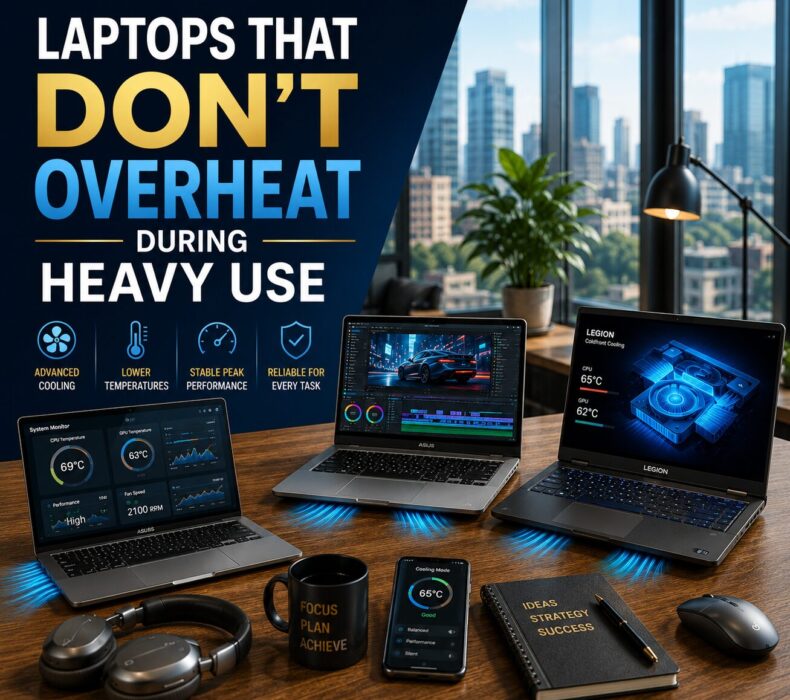
Laptops That Don’t Overheat in 2026
1. Apple MacBook Pro M4 Pro
Without a doubt, the MacBook Pro M4 Pro remains one of the best thermally optimized laptops available today.
It delivers:
Excellent cooling efficiency
Quiet operation
Powerful multitasking
Stable long-term performance
Consequently, creators and professionals can work comfortably for extended periods.
2. ASUS ROG Zephyrus G14
ASUS has improved cooling systems significantly in recent years.
The Zephyrus G14 features:
Advanced vapor chamber cooling
Efficient airflow management
Strong gaming and productivity performance
Excellent thermal stability
As a result, it performs extremely well during heavy workloads.
3. Dell XPS 16
The Dell XPS 16 combines elegant design with reliable thermal performance.
Additionally, it offers:
Efficient cooling optimization
Premium build quality
Smooth multitasking
Excellent display quality
Therefore, it remains one of the best premium Windows productivity laptops.
4. Lenovo Legion Pro 7i
Although designed primarily for gaming, this laptop also handles productivity exceptionally well.
Moreover, its large cooling system provides:
Lower temperatures
Better airflow
Stable sustained performance
Consequently, it performs smoothly under intense workloads.
Why Thin Laptops Sometimes Struggle With Heat
Ultra-thin laptops often sacrifice airflow space for portability.
As a result, some models:
Heat up quickly
Produce louder fan noise
Throttle performance under pressure
Therefore, buyers should balance portability with cooling performance carefully.
Fortunately, modern premium ultrabooks now manage heat much more efficiently than older generations.
How to Reduce Laptop Heat
Even high-performance laptops benefit from proper usage habits.
For example:
Use laptops on flat surfaces
Avoid blocking ventilation
Clean cooling vents regularly
Reduce excessive background applications
Keep laptops away from direct sunlight
As a result, cooling systems operate more efficiently long-term.
Common Cooling Mistakes Buyers Ignore
Many buyers focus only on specifications such as RAM and processors.
However, they often ignore:
Thermal management
Cooling systems
Airflow optimization
Consequently, some laptops perform well initially but struggle during extended workloads.
Therefore, cooling performance matters just as much as raw specifications.
Additionally, cooler devices reduce stress during long work sessions significantly.
Final Thoughts
In conclusion, the best laptops that don’t overheat combine efficient processors, advanced cooling systems, strong airflow optimization, and stable long-term performance.
Whether you choose the MacBook Pro M4 Pro, ASUS ROG Zephyrus G14, Dell XPS 16, or Lenovo Legion Pro 7i, investing in a thermally efficient laptop can improve productivity while reducing overheating frustrations dramatically.
Ultimately, the best laptop is not simply the most powerful one — it is the one that consistently maintains smooth performance while staying cool, stable, and comfortable during heavy daily use.












 Get it on
  Download on the