





- Esther Osiobe
- July 1, 2026
- No Comments
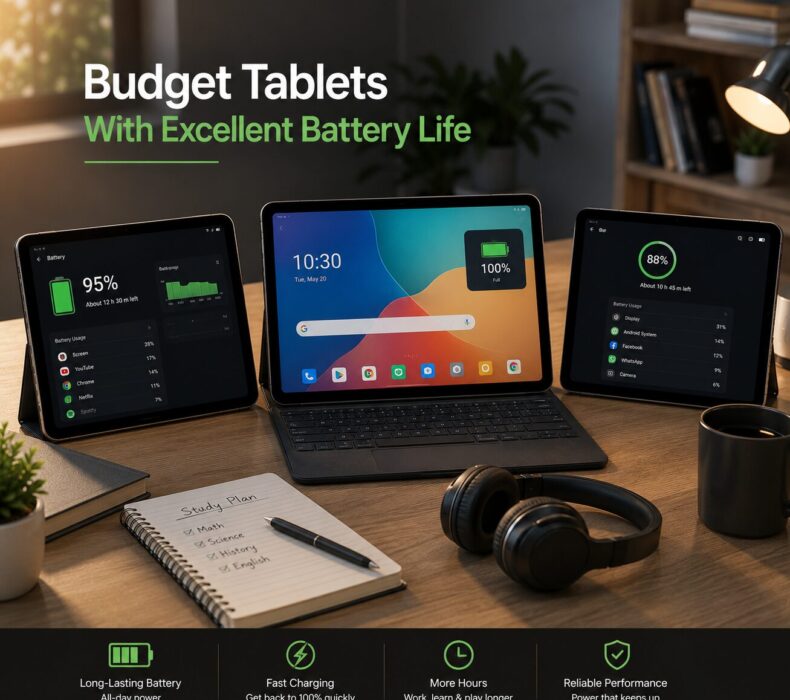
If you’re looking for budget tablets with excellent battery life, you’ve found the right place. In today’s constantly connected world, running out of battery at a critical moment — whether during an important virtual meeting, a long study session, or an exciting movie marathon — is one of the most frustrating experiences a tablet user can face. Fortunately, you no longer need to spend a fortune to get a tablet that keeps up with your lifestyle from morning to night. In fact, many affordable tablets available today come packed with impressively large batteries that rival their premium counterparts. In this detailed guide, we will explore the best budget tablets renowned for their outstanding battery performance, what battery-related specifications you should look for, and practical tips to help you maximize your tablet’s battery life every single day.
Why Battery Life Should Be a Top Priority
First and foremost, battery life is arguably the single most important specification for tablet users who are always on the move. Unlike laptops that can be kept plugged in at a workstation, tablets are inherently portable devices meant to be used anywhere and everywhere. Consequently, a tablet that cannot last through your daily routine defeats the entire purpose of owning one.
Moreover, consider the wide range of scenarios where reliable battery life becomes essential. Students need their tablets to last through multiple classes and study sessions without needing a recharge. Professionals rely on their tablets for back-to-back video calls, document reviews, and presentations throughout the workday. Travelers need devices that stay alive on long flights, road trips, and adventures far from power outlets.
Additionally, parents who use tablets to keep children entertained during long journeys understand the panic of watching a battery percentage drop rapidly with no charger in sight. Therefore, prioritizing battery life when choosing a budget tablet is not just a preference — it is a practical necessity.
Furthermore, tablets with larger batteries tend to have longer overall lifespans because their batteries go through fewer charge cycles over time. As a result, a tablet with a massive battery will not only last longer on a single charge but will also maintain its battery capacity better over the years compared to smaller-battery alternatives.
Understanding Battery Specifications: What the Numbers Actually Mean
Before exploring specific tablet recommendations, it is important to understand the battery-related specifications you will encounter during your research. These numbers can be confusing at first glance, but understanding them will empower you to make much smarter purchasing decisions.
Battery Capacity (mAh)
To begin with, battery capacity is measured in milliampere-hours (mAh). Simply put, the higher the mAh rating, the more energy the battery can store, and therefore the longer the tablet can run on a single charge. For budget tablets, anything above 6,000mAh is considered good, while 8,000mAh and above is excellent.
However, it is equally important to understand that battery capacity alone does not tell the whole story. The efficiency of the processor, the resolution and brightness of the display, and the optimization of the operating system all play significant roles in determining real-world battery performance.
Screen-On Time (SOT)
In addition to raw capacity, screen-on time (SOT) is a more practical measurement of battery performance. SOT refers to how many hours the display remains active during typical usage. For a budget tablet to be considered excellent in terms of battery life, it should deliver at least 10 hours of screen-on time under moderate usage conditions.
Charging Speed
Furthermore, fast charging technology has become increasingly important. A tablet with a massive battery that takes six or more hours to charge fully is significantly less convenient than one that charges from zero to full in two to three hours. Look for tablets that support at least 18W fast charging for a good balance between charging speed and battery health.
Standby Time
Lastly, standby time refers to how long the tablet retains its charge when not actively in use. Tablets with efficient processors and well-optimized software can maintain standby times of several days, which is particularly useful for users who pick up their tablets intermittently throughout the day.
Top Budget Tablets With Excellent Battery Life in 2024
Now that you have a solid understanding of what makes a great battery tablet, let’s explore the best affordable options currently available. Each of these tablets has been selected based on battery performance, overall value, user reviews, and everyday usability.
1. Nokia T21 — The Battery Champion
Battery: 8,200mAh
Estimated Price: $199 – $249 / ₦110,000 – ₦150,000
Screen-On Time: Up to 14–16 hours
Without a doubt, the Nokia T21 earns the title of battery champion among budget tablets. Its enormous 8,200mAh battery is one of the largest found in any affordable tablet, and real-world performance consistently backs up the impressive specifications on paper. Users regularly report getting two full days of moderate usage before needing to reach for the charger.
Beyond battery life, the Nokia T21 features a beautiful 10.36-inch 2K IPS display with 2000 x 1200 pixels resolution, a sturdy aluminum unibody design that feels premium in hand, and a clean, near-stock Android experience that runs efficiently without unnecessary background processes draining the battery.
Additionally, Nokia guarantees three years of OS updates and three years of security patches, making the T21 a remarkably sound long-term investment. The IP52 rating provides splash resistance, adding practical durability for everyday use in various environments.
Why battery lovers should choose it: The combination of an enormous battery, efficient processor, and well-optimized stock Android software makes the Nokia T21 the ultimate choice for users who absolutely cannot afford to run out of power. Furthermore, the 2K display — while sharp and vibrant — has been tuned for efficiency, consuming less power than comparable screens from competing brands.
Pros:
- Industry-leading 8,200mAh battery
- Premium aluminum build with IP52 splash resistance
- Clean, bloatware-free Android experience
- Three years of guaranteed OS and security updates
Cons:
- Processor performance is modest compared to Snapdragon competitors
- No stylus support
- Camera quality is average
2. Xiaomi Redmi Pad SE — Best Value Battery Tablet
Battery: 8,000mAh
Estimated Price: $159 – $199 / ₦100,000 – ₦145,000
Screen-On Time: Up to 13–15 hours
Similarly impressive, the Xiaomi Redmi Pad SE combines an exceptional battery with a stunning 90Hz display at a price that is genuinely hard to believe. The massive 8,000mAh battery consistently delivers between 13 and 15 hours of screen-on time, comfortably outlasting most tablets in its price range.
What makes this tablet even more remarkable is that the large battery is paired with an excellent 11-inch FHD+ IPS display featuring a 90Hz refresh rate — a feature typically found on tablets costing significantly more. The smooth, fluid scrolling experience at 90Hz normally comes at the cost of battery life, but Xiaomi has done a commendable job optimizing power consumption to minimize this trade-off.
Powered by the Qualcomm Snapdragon 680 processor with 4GB or 6GB of RAM, the Redmi Pad SE handles multitasking, streaming, gaming, and productivity with ease. The quad-speaker setup with Dolby Atmos delivers immersive audio, and the tablet’s slim, lightweight design makes it comfortable to hold during extended sessions.
Why battery lovers should choose it: The Redmi Pad SE offers the best balance of battery size, display quality, and performance in the budget tablet market. Moreover, Xiaomi’s power-efficient software optimizations ensure that the 8,000mAh battery lasts as long as possible under real-world conditions.
Pros:
- Massive 8,000mAh battery with 13–15 hours SOT
- 90Hz refresh rate display for smooth performance
- Excellent quad-speaker audio system
- Great multitasking with split-screen support
Cons:
- No stylus support
- Average camera performance
- Limited long-term software update commitment
3. Amazon Fire HD 10 (2023) — Best Battery for Casual Users
Battery: 6,000mAh
Estimated Price: $139 – $189 / ₦85,000 – ₦130,000
Screen-On Time: Up to 12–13 hours
Furthermore, the Amazon Fire HD 10 proves that you don’t need to spend much to get impressive battery performance. With a solid 6,000mAh battery that delivers up to 12 to 13 hours of mixed usage, this tablet is perfectly suited for casual users who primarily browse the internet, stream content, and read e-books throughout the day.
The 10.1-inch Full HD display with 1920 x 1200 pixels resolution provides a sharp, clear viewing experience, and the octa-core 2.0 GHz processor with 3GB of RAM ensures smooth performance for everyday tasks. The USB-C charging port is a practical modern addition, and the tablet supports wireless charging accessories with the optional wireless charging dock.
Amazon’s software ecosystem is deeply integrated with Prime Video, Kindle, Amazon Music, and Alexa, making this tablet an excellent entertainment hub. Additionally, the Kids Edition variant includes a robust protective case and a two-year worry-free guarantee, making it an ideal choice for parents.
Why battery lovers should choose it: For casual users who primarily consume content and browse the web, the Fire HD 10’s battery life is more than sufficient for a full day of use. Moreover, Amazon’s software is well-optimized for media consumption, ensuring efficient battery management during streaming sessions.
Pros:
- Excellent battery life for casual usage
- Very affordable pricing
- Great Amazon ecosystem integration
- USB-C charging and wireless charging dock support
Cons:
- Uses Amazon Appstore instead of Google Play Store
- Performance lags behind Android competitors
- Limited productivity features
4. Lenovo Tab M10 Plus (3rd Generation) — Best for Work and Battery
Battery: 7,700mAh
Estimated Price: $189 – $249 / ₦120,000 – ₦165,000
Screen-On Time: Up to 12–14 hours
In addition, the Lenovo Tab M10 Plus (3rd Gen) strikes an excellent balance between productivity, multimedia performance, and battery life. Its 7,700mAh battery consistently delivers between 12 and 14 hours of screen-on time, making it one of the most reliable all-day tablets in the budget category.
The stunning 10.61-inch IPS LCD with 2000 x 1200 pixels resolution showcases content beautifully, with accurate colors and wide viewing angles. The Qualcomm Snapdragon 680 processor with 4GB of RAM provides smooth, lag-free performance for productivity apps, video conferencing, and casual gaming.
Lenovo includes a thoughtful reading mode that reduces blue light emission and optimizes the display for extended reading, which also contributes to improved battery efficiency. The dual speakers with Dolby Atmos support deliver impressive stereo sound for an immersive media experience.
Why battery lovers should choose it: The Lenovo Tab M10 Plus offers exceptional battery longevity specifically tailored for users who work, study, or create content on their tablets for extended periods. Furthermore, Lenovo’s battery management software intelligently adjusts power consumption based on usage patterns, maximizing efficiency without compromising performance.
Pros:
- Large 7,700mAh battery with excellent real-world performance
- Outstanding 2K display quality
- Impressive Dolby Atmos audio system
- Optional Lenovo Precision Pen 2 stylus support
Cons:
- Stylus must be purchased separately
- Only available in Wi-Fi models in some regions
- Slightly heavier than competitors
5. Samsung Galaxy Tab A8 (2022) — Reliable Battery for Samsung Fans
Battery: 7,040mAh
Estimated Price: $179 – $279 / ₦130,000 – ₦170,000
Screen-On Time: Up to 11–12 hours
Likewise, the Samsung Galaxy Tab A8 remains one of the most popular and trusted budget tablets available, and its 7,040mAh battery delivers a consistent 11 to 12 hours of screen-on time that satisfies the needs of most users throughout the day.
The 10.5-inch TFT LCD with 1920 x 1200 pixels resolution provides bright, clear visuals, and Samsung’s One UI software is well-optimized for efficient power management. Features like adaptive battery, background app restrictions, and power saving modes allow users to squeeze additional hours of usage when needed.
Samsung’s ecosystem integration is a significant advantage, allowing seamless connectivity with other Samsung devices like smartphones, smartwatches, and smart TVs. Furthermore, regular Samsung Knox security updates ensure the device remains protected without excessive battery-draining background processes.
Why battery lovers should choose it: Samsung’s reputation for software optimization means that the Galaxy Tab A8’s battery performs efficiently across a wide range of tasks. Additionally, Samsung provides multiple power-saving modes that can extend battery life to 15+ hours during light usage scenarios such as reading or music playback.
Pros:
- Reliable 7,040mAh battery with strong optimization
- Trusted Samsung brand with excellent after-sales support
- Expandable storage up to 1TB via microSD
- Multiple power-saving modes for extended battery life
Cons:
- No stylus support
- Processor is modest compared to Snapdragon alternatives
- Display technology (TFT) is less vibrant than IPS panels
6. Huawei MatePad T10s — Efficient Battery for Light Users
Battery: 7,000mAh
Estimated Price: $99 – $149 / ₦85,000 – ₦125,000
Screen-On Time: Up to 10–12 hours
Additionally, the Huawei MatePad T10s deserves recognition for its excellent battery efficiency relative to its modest price point. Despite its very affordable cost, the 7,000mAh battery delivers a respectable 10 to 12 hours of screen-on time, powered by Huawei’s highly optimized HarmonyOS operating system.
The 10.1-inch Full HD IPS display with 1920 x 1200 pixels resolution provides vibrant, accurate colors, and the Kirin 710A processor ensures smooth performance for everyday tasks. Huawei’s software is renowned for its exceptional power efficiency, squeezing every possible hour out of the battery through intelligent optimization.
Why battery lovers should choose it: Huawei’s HarmonyOS is specifically designed with battery efficiency as a core priority, managing system resources more intelligently than standard Android in many scenarios. Consequently, users often report better-than-expected battery life despite the tablet’s modest hardware specifications.
Pros:
- Very affordable with solid battery performance
- HarmonyOS offers excellent power efficiency
- Clear and vibrant Full HD IPS display
- Lightweight and comfortable to hold
Cons:
- Uses Huawei AppGallery instead of Google Play Store
- No 5G or LTE support on base models
- Limited international app availability
Comprehensive Comparison Table
| Tablet | Battery | Screen-On Time | Display | Processor | Price |
|---|---|---|---|---|---|
| Nokia T21 | 8,200mAh | 14–16 hrs | 10.36″ 2K | Unisoc T612 | $199–$249 |
| Xiaomi Redmi Pad SE | 8,000mAh | 13–15 hrs | 11″ FHD+ 90Hz | Snapdragon 680 | $159–$199 |
| Amazon Fire HD 10 | 6,000mAh | 12–13 hrs | 10.1″ FHD | Octa-core 2.0GHz | $139–$189 |
| Lenovo Tab M10 Plus | 7,700mAh | 12–14 hrs | 10.61″ 2K | Snapdragon 680 | $189–$249 |
| Samsung Galaxy Tab A8 | 7,040mAh | 11–12 hrs | 10.5″ FHD+ | Unisoc T618 | $179–$279 |
| Huawei MatePad T10s | 7,000mAh | 10–12 hrs | 10.1″ FHD | Kirin 710A | $99–$149 |
Proven Tips to Maximize Your Tablet’s Battery Life
Even after choosing a tablet with an excellent battery, there are several proven strategies you can implement to extend your device’s battery life even further. Here are the most effective techniques:
Adjust Screen Brightness
First and foremost, the display is typically the single largest consumer of battery power on any tablet. Therefore, reducing your screen brightness to the lowest comfortable level can dramatically extend your battery life. Most tablets offer an adaptive brightness feature that automatically adjusts the display based on ambient lighting conditions, which is a practical set-and-forget solution.
Enable Dark Mode
Similarly, tablets with OLED or AMOLED displays benefit significantly from dark mode, as black pixels on these screen types consume virtually no power. Even on LCD tablets, dark mode reduces overall brightness and creates a more comfortable viewing experience in low-light environments, indirectly contributing to energy savings.
Manage Background Apps
Additionally, background applications that constantly refresh data — such as social media, email, weather, and news apps — are silent battery killers. Consequently, regularly reviewing and restricting background app activity through your tablet’s settings can preserve significant amounts of battery power throughout the day.
Use Wi-Fi Instead of Cellular Data
Moreover, cellular data connections (4G/LTE) consume considerably more power than Wi-Fi connections. Therefore, whenever possible, connect to a Wi-Fi network instead of relying on mobile data. This simple habit can add an extra hour or two of battery life to your daily usage.
Enable Battery Saver Mode Proactively
Furthermore, rather than waiting until your battery is critically low to enable power saving mode, consider activating it when your battery drops below 30–40%. This proactive approach limits background activity, reduces screen brightness, and throttles the processor slightly to significantly extend your remaining battery life.
Turn Off Unused Connectivity Features
In addition, wireless radios like Bluetooth, GPS, NFC, and Wi-Fi consume power even when not actively in use. Consequently, disabling these features when they are not needed is a simple yet effective way to conserve battery throughout the day.
Update Your Software Regularly
Equally important, keeping your tablet’s operating system and apps updated ensures you always have the latest battery optimization improvements. Software updates frequently include enhancements to power management algorithms that can meaningfully improve real-world battery performance.
Avoid Extreme Temperatures
Lastly, battery health degrades significantly when exposed to extreme heat or cold. Avoid leaving your tablet in direct sunlight, in a hot car, or in freezing outdoor environments for extended periods. Keeping your device within a comfortable temperature range (ideally 0°C to 35°C / 32°F to 95°F) will preserve battery capacity over the long term.
Battery Health: How to Keep Your Battery in Top Condition
Beyond daily usage tips, maintaining long-term battery health ensures your tablet’s battery retains its capacity over years of use. Here are the most important battery health practices:
Avoid Full Discharges: Modern lithium-ion batteries perform best when kept between 20% and 80% charge. Frequently draining the battery to 0% or charging to 100% accelerates capacity degradation over time.
Use the Included Charger: Third-party chargers — especially cheap, uncertified ones — can damage your battery and reduce its lifespan. Always use the original charger or a reputable certified alternative.
Enable Optimized Charging: Many modern tablets, including Samsung and Apple devices, offer optimized charging features that learn your charging habits and slow the charging rate above 80% to reduce battery stress.
Avoid Overnight Charging Without Smart Charging: While most modern tablets include overcharge protection, consistently leaving your tablet plugged in overnight can generate heat that degrades battery health over time. If your tablet doesn’t support smart charging, consider using a smart plug with a timer.
Store Properly When Not in Use: If you plan to store your tablet for an extended period, charge it to approximately 50% before storage and keep it in a cool, dry place. This preserves battery capacity during long periods of inactivity.
Who Benefits Most From a Long-Battery Budget Tablet?
Understanding who benefits most from prioritizing battery life helps frame your purchasing decision clearly. Here is a breakdown of user profiles that should absolutely prioritize battery capacity:
Frequent Travelers: Whether on long flights, road trips, or international adventures, travelers need tablets that stay alive without constant access to power outlets. The Nokia T21 and Xiaomi Redmi Pad SE are particularly excellent companions for extended journeys.
Students: Students who carry their tablets through long school days, library sessions, and after-school study groups cannot afford their devices dying mid-task. A tablet with 12+ hours of battery life ensures uninterrupted learning throughout the day.
Remote Workers: Professionals who work from cafes, co-working spaces, or client sites need reliable battery performance to maintain productivity without constantly hunting for power outlets. The Lenovo Tab M10 Plus is an excellent choice for this user group.
Parents and Children: Tablets used by children need batteries that last through entertainment sessions, educational apps, and family road trips without constant recharging. The Amazon Fire HD 10 and Nokia T21 are particularly well-suited for family use.
Outdoor Enthusiasts: Campers, hikers, and outdoor adventurers who use tablets for navigation, photography, and entertainment need devices that can handle extended use far from power sources. Combined with a portable power bank, a high-capacity battery tablet can last through entire weekend adventures.
Frequently Asked Questions (FAQs)
Q: Which budget tablet has the longest battery life?
Currently, the Nokia T21 leads the pack among budget tablets with its massive 8,200mAh battery, delivering up to 14 to 16 hours of screen-on time. The Xiaomi Redmi Pad SE is a close second with its 8,000mAh battery and equally impressive real-world performance.
Q: How many mAh is considered excellent for a tablet battery?
Generally, anything above 7,000mAh is considered excellent for a budget tablet. Batteries in the 8,000mAh to 10,000mAh range are exceptional and can provide multiple days of moderate usage without recharging.
Q: Does fast charging affect long-term battery health?
Fast charging does generate more heat than standard charging, which can marginally accelerate battery degradation over time. However, modern fast charging technologies include thermal management systems that minimize this effect. Using fast charging occasionally rather than exclusively is a reasonable approach for preserving long-term battery health.
Q: Can I replace the battery in a budget tablet?
Most modern tablets, including budget models, have non-removable batteries that are permanently sealed within the device. Battery replacement typically requires professional service and can cost $50 to $150 , depending on the model. This is another reason to choose a tablet with a large battery from the start — it will retain adequate capacity for longer.
Q: Does a higher refresh rate screen drain battery faster?
Yes, a 90Hz or 120Hz refresh rate display typically consumes more battery than a standard 60Hz display. However, many tablets — like the Xiaomi Redmi Pad SE — include adaptive refresh rate technology that automatically drops to 60Hz during static content like reading or video playback, significantly mitigating this battery impact.
Q: Is it better to charge my tablet to 100% or stop at 80%?
For optimal long-term battery health, stopping at 80 to 85% is technically better as it reduces stress on the battery cells. Many modern tablets include battery protection modes that automatically limit charging to 85% to preserve long-term capacity. Enabling this feature is highly recommended.
Final Verdict
In conclusion, finding budget tablets with excellent battery life in 2024 is more achievable than ever before. The market is filled with impressive, affordable options that deliver genuinely outstanding battery performance without requiring a premium price tag.
To summarize the top picks:
- Best overall battery: Nokia T21 (8,200mAh, 14–16 hours)
- Best value battery: Xiaomi Redmi Pad SE (8,000mAh, 13–15 hours)
- Best for productivity: Lenovo Tab M10 Plus (7,700mAh, 12–14 hours)
- Best for Samsung fans: Samsung Galaxy Tab A8 (7,040mAh, 11–12 hours)
- Best for casual users: Amazon Fire HD 10 (6,000mAh, 12–13 hours)
- Best on the tightest budget: Huawei MatePad T10s (7,000mAh, 10–12 hours)
Ultimately, the right tablet for you depends on your specific usage patterns, budget constraints, and personal preferences. By combining a high-capacity tablet from this list with the battery optimization tips shared throughout this guide, you can enjoy a powerful, long-lasting device that keeps pace with your busy life — all without breaking the bank.


 Get it on
  Download on the